

YOLO Tracker
Updated: 27 Jun 2026
Detect and track objects in images and video streams using a YOLO AI model.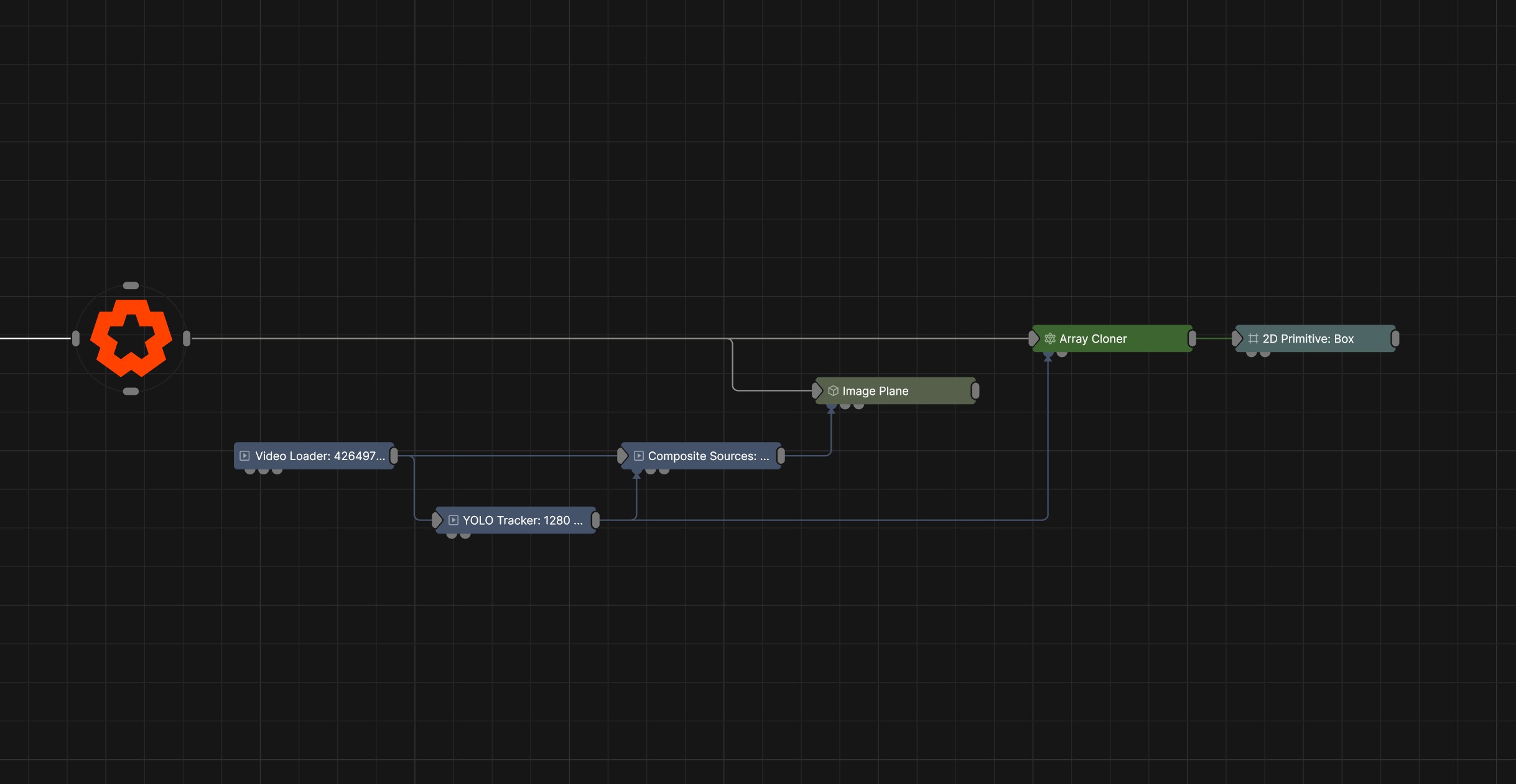
Updated: 27 Jun 2026
Detect and track objects in images and video streams using a YOLO AI model.
This node analyses an input image or video stream and identifies objects within the frame using a YOLO (You Only Look Once) object detection model. YOLO is a real-time object detection approach that uses a single neural network to process an entire image in one forward pass. It directly predicts bounding boxes, objectness scores, and class probabilities without relying on separate region proposal steps. This design makes it very fast and well suited for real-time applications such as video analysis.
For each detected object, the node generates a transform based on its position and size within the image. These transforms can be passed into a Cloner to generate and control clones that correspond to the detected objects.
This node has been developed to work with the YOLO object detection AI model, which can be downloaded below.
This model is derived from those available as part of the Ultralytics open source project. You can access the accompanying the recreation source steps below in Recreation Steps and the model above with the Download button. They are released under version 3 of the GNU Affero General Public License (the “Licence”); you may not use these files except in compliance with the Licence. You may obtain a copy of the Licence at https://github.com/ultralytics/ultralytics/blob/main/LICENSE.
Unless required by applicable law or agreed to in writing, software distributed under the Licence is distributed on an “AS IS” BASIS, WITHOUT WARRANTIES OR CONDITIONS OF ANY KIND, either express or implied. See the Licence for the specific language governing permissions and limitations under the Licence.
This model has been prepared for use in Notch by converting the original YOLO models to ONNX format. The following steps were taken to prepare the model:
from ultralytics import YOLO

model = YOLO("yolo11n-seg.pt")  # path to your pretrained or custome YOLO11 model
model.export(format="onnx")
The Yolo model needs to be loaded as a resource and set in the ONNX Model resource property of the node.
Setting the ONNX Model resource property to the incorrect ONNX model will result in the node not working correctly.
These properties control the core behaviours of the node.
| Parameter | Details |
|---|---|
| Preview In Viewport |
Preview the generated image as an overlay in the viewport.
|
| Apply PostFX Before Alpha Image Input (Legacy) | When enabled, the alpha input image is applied after the postfx pass, overwriting any effects the postfx would have applied to the alpha channel. |
| Legacy Effect Mask Blend | Blend input masks using the legacy behaviour kept for pre-2022 scenes. Leave disabled for new compositions. |
| Active | Enables or disables the effect. Disabling the effect means it will no longer compute, so disabling a node when not in use can improve performance. |
| ONNX Model | Select a YOLO model from the resource browser. |
| Input Normalisation |
Scale the range of values coming into the model.
|
| Input Resizing |
How the input texture is resized to fit the target size.
|
| Output Resizing |
How the texture is resized on the output after it has been processed by the Yolo model.
|
| Segmentation |
Generates a binary mask for each detected object, identifying which pixels belong to the object and which belong to the background.
|
| Max Detections | Limits the amount of possible detected objects. |
| CLIP Class | Filter object detections by CLIP class object category definition. |
| Confidence Threshold | Only detections with a confidence score above this threshold are kept, while lower-confidence ones are discarded to reduce false positives. |
| Match Threshold | Decides how much two boxes must overlap to count as the same object. If the overlap is high enough, they’re treated as a match, if not, they’re considered different objects. |
| Temporal Coherence | Ensures detections remain consistent across consecutive frames by smoothing or linking predictions over time, reducing flicker and sudden changes |
| Temporal Coherence Frames | Specifies the number of previous frames used when calculating temporal coherence. Higher values can improve stability, but may introduce latency. |
| Temporal Match Threshold | Sets how similar detections must be across consecutive frames to be considered the same object, helping maintain consistent tracking over time. |
The properties control the time at which the node is active. See Timeline for editing time segments.
| Parameter | Details |
|---|---|
| Duration |
Control the duration of the node’s time segment.
|
| Node Time | The custom start and end time for the node. |
| Duration (Timecode) | The length of the node’s time segment (in time). |
| Duration (Frames) | The length of the node’s time segment (in frames). |
| Time Segment Enabled | Set whether the node’s time segment is enabled or not in the Timeline. |
| Name | Description | Typical Input |
|---|---|---|
| Effect Mask | Mask out areas that Post-FX applied to this node won’t be applied. | Video Loader |
| Alpha Image | Use a separate video nodes luminance values to overwrite the alpha channel of the image. | Video Loader |
| Parameter Value Array | Used to set the parameters of the node using an array. | Parameter Array |