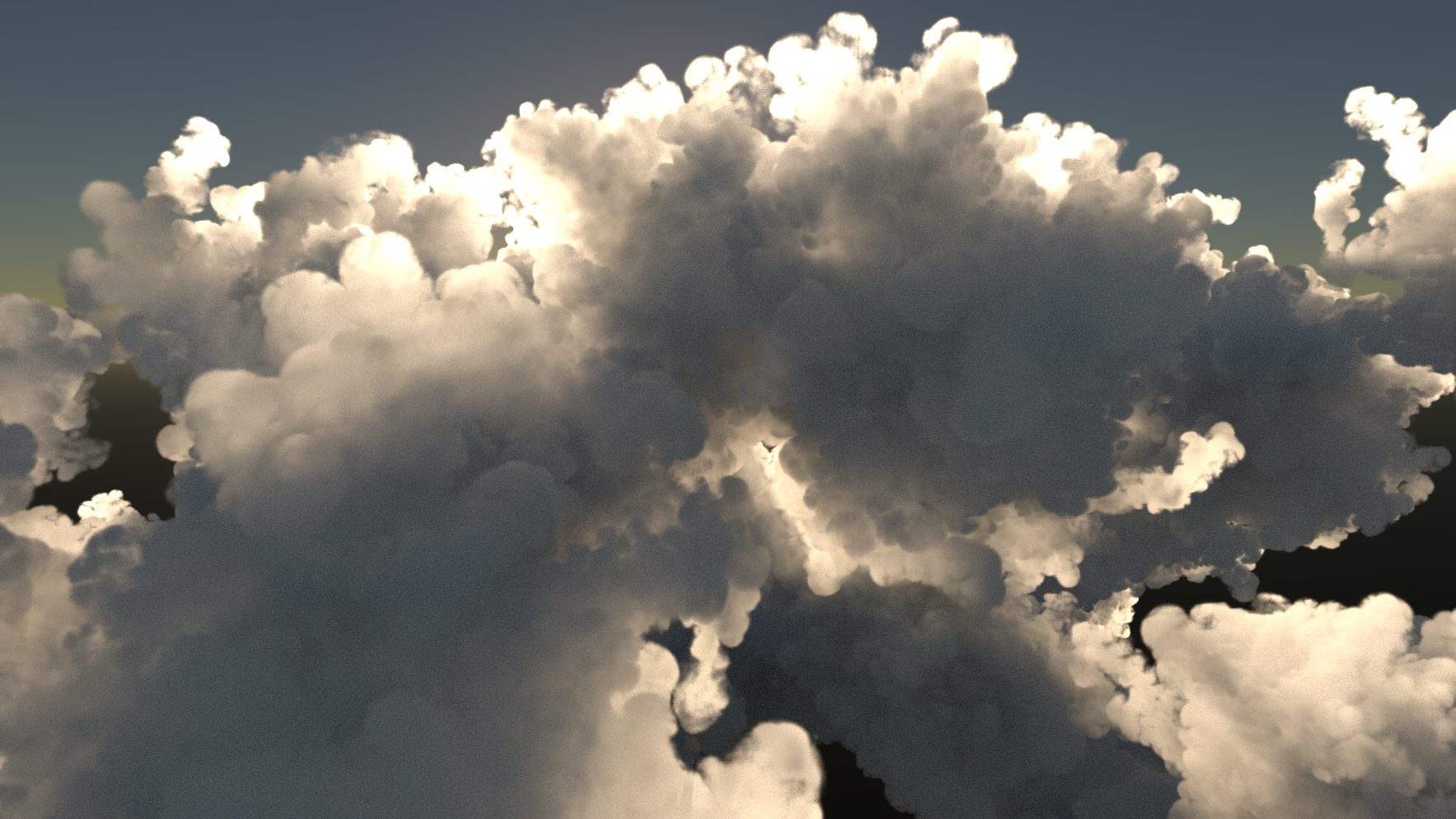
This page outlines how to migrate your Notch projects from 0.9.23.25x to 2026.2 and broadly applies to upgrading to 2026.2. While most of the node systems and workflows in 2026.2 are unchanged and require no changes to migrate, there are some key areas where major changes and improvements have been made, and therefore which will need special care when migrating.
We strongly advise against migrating active production projects from 0.9.23 to 2026.2. Support for many 0.9.23 nodes cannot be maintained, and as a result, numerous projects may not produce the same results after migration.
For a full list of the deprecated nodes between 0.9.23 and 2026.2, check out the Deprecated Nodes 2026.2.
Lighting
#
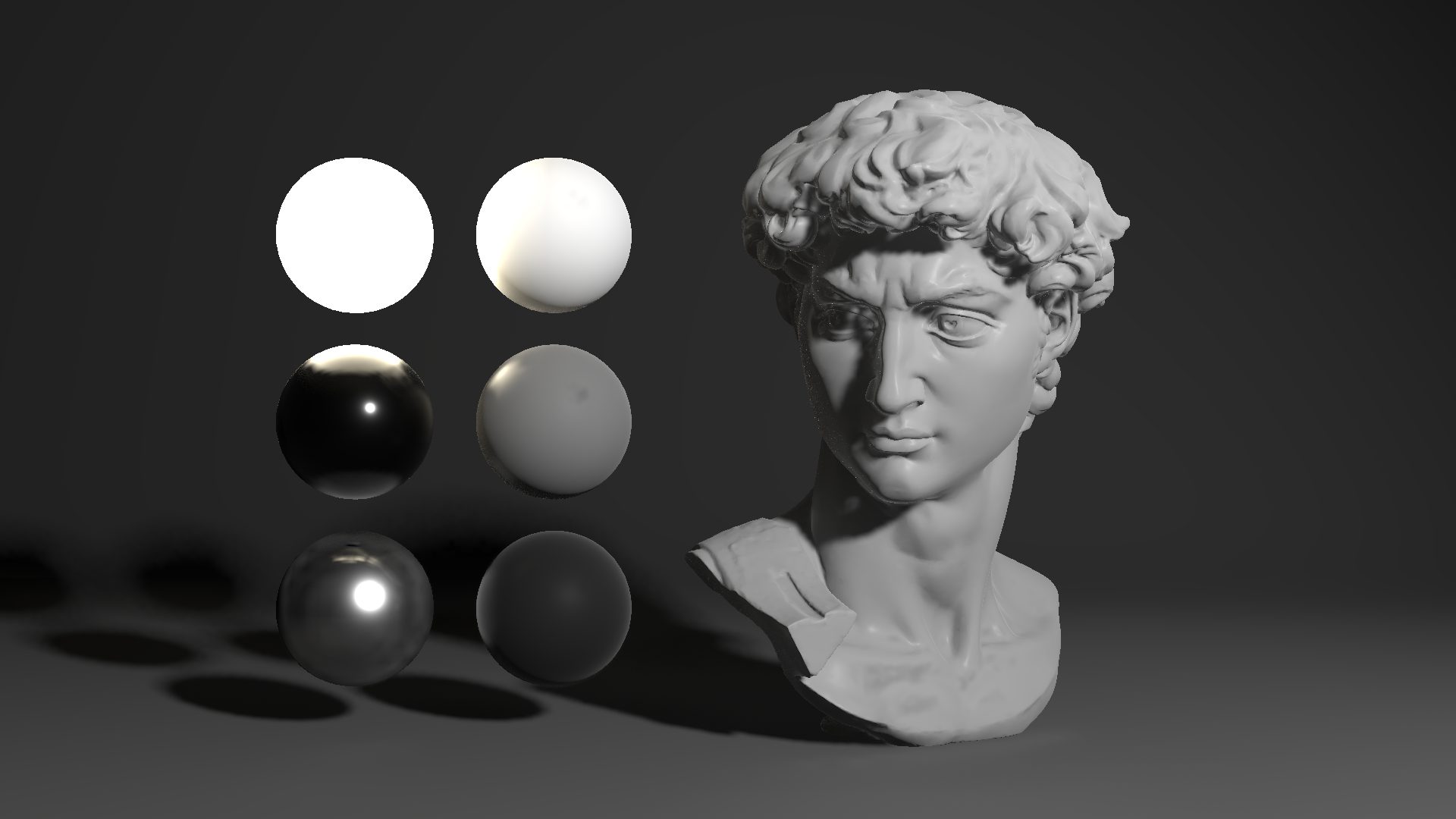 0.9.23.255, Voxel Cone Lighting + Point Cache
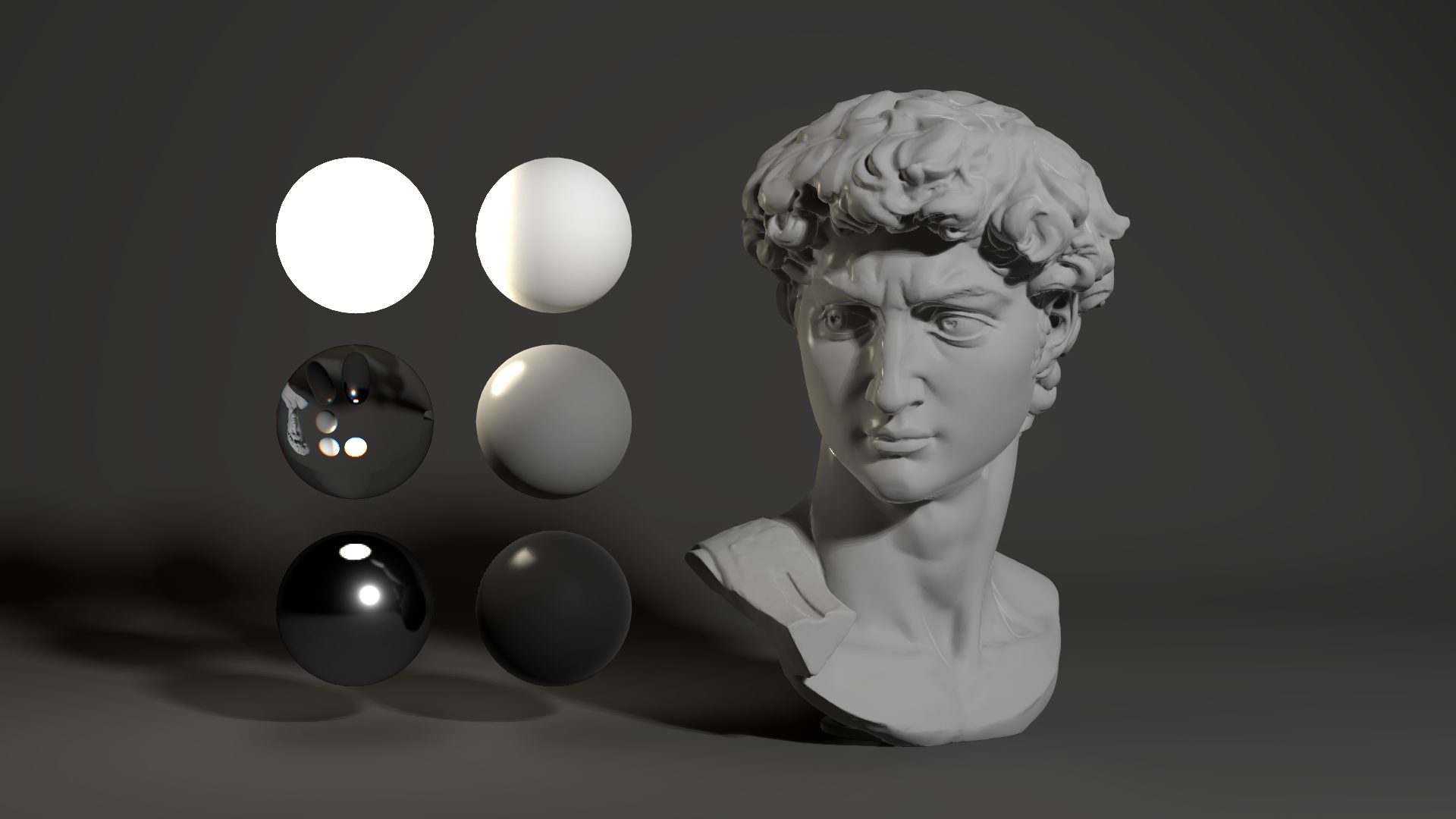 2026.2, Hybrid Renderer
With the new improvements to the rendering systems in 2026.2, a lot of the previous lighting FX nodes have been deprecated. On loading a project which includes these deprecated nodes, a Renderer node will automatically be added to the scene and the settings will attempt to roughly match the previous set up from 0.9.23. Old Lighting FX nodes will no longer function, and will display a deprecated emoji to reflect this.
- In most cases, a Standard Renderer will be added, and settings like ambient occlusion and scattering will be matched.
- If a path tracer node is detected, the new Path Tracer node will be added, and the depth / ambient occlusion / refines will attempt to match the previous nodes setup, checking the supplementary path tracing nodes too.
- If Deferred Rendering was enabled alongside RT Mirror Reflections, a Hybrid Renderer will be added with a similar attention paid to matching settings.
- All emissives will have ‘Emissive Lights Scene’ disabled, as Emissive materials did not emit light in 0.9.23.
- Anti-Aliasing has changed a bit with 2026.2; some methods have been deprecated or made unique to certain renderers, while newer methods have been added which. In cases where no direct AA method exists, AA will default to Off.
Finally, you should not expect scenes to match their 0.9.23 lighting. Large parts of the render engine have been entirely rewritten, therefore even with heavy tweaking of renderer properties the underlying technology is completely different, and cannot match. The positive, is that it will generally run a lot faster and look more physically accurate.
For more information on the new rendering workflow, take a look at the new Rendering page.
To see the list of affected Lighting and Lighting FX nodes, check out the Deprecated Nodes page.
Raytracing
#
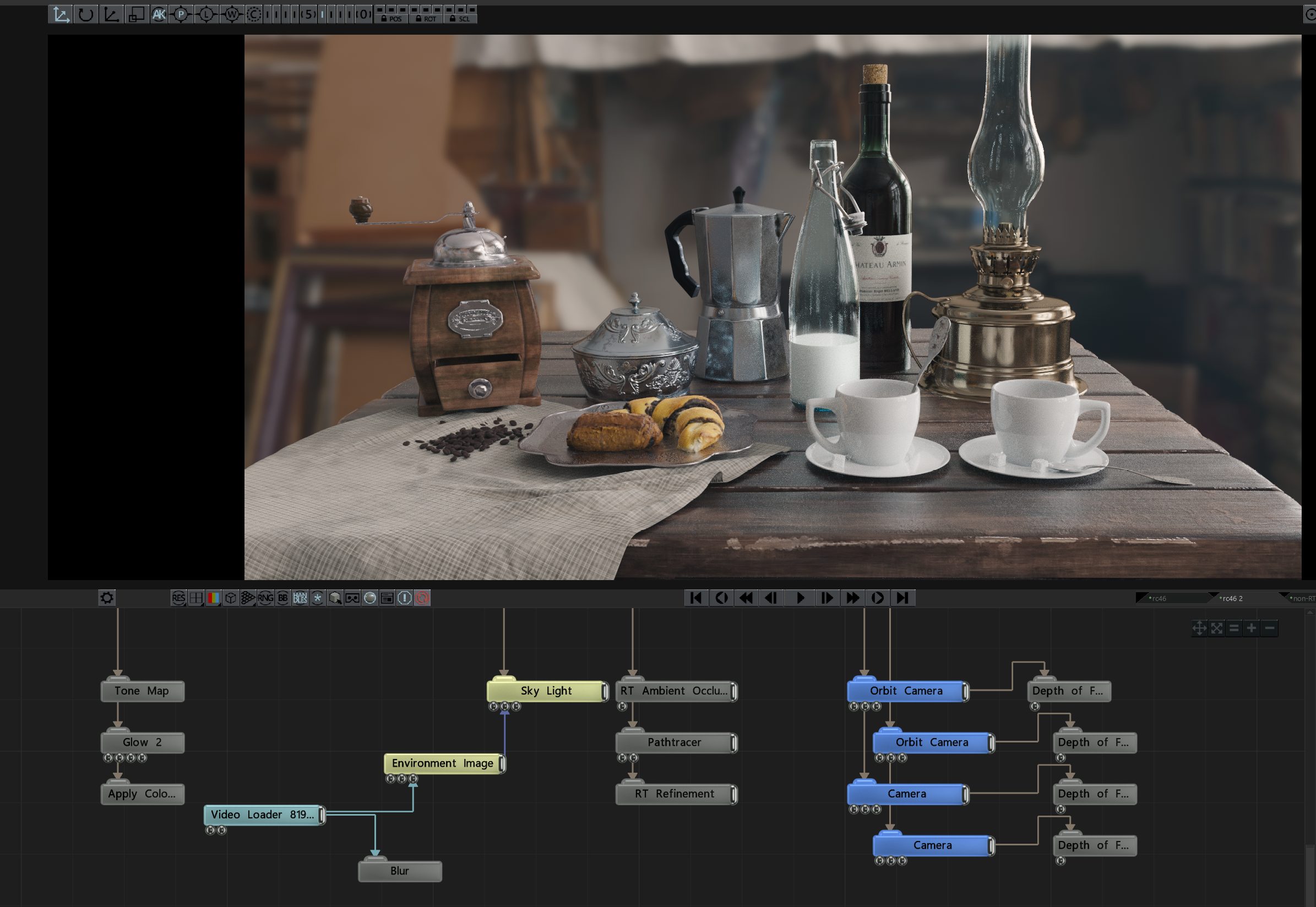 0.9.23.255, Path Tracer, RT Refinement, RT Ambient Occlusion
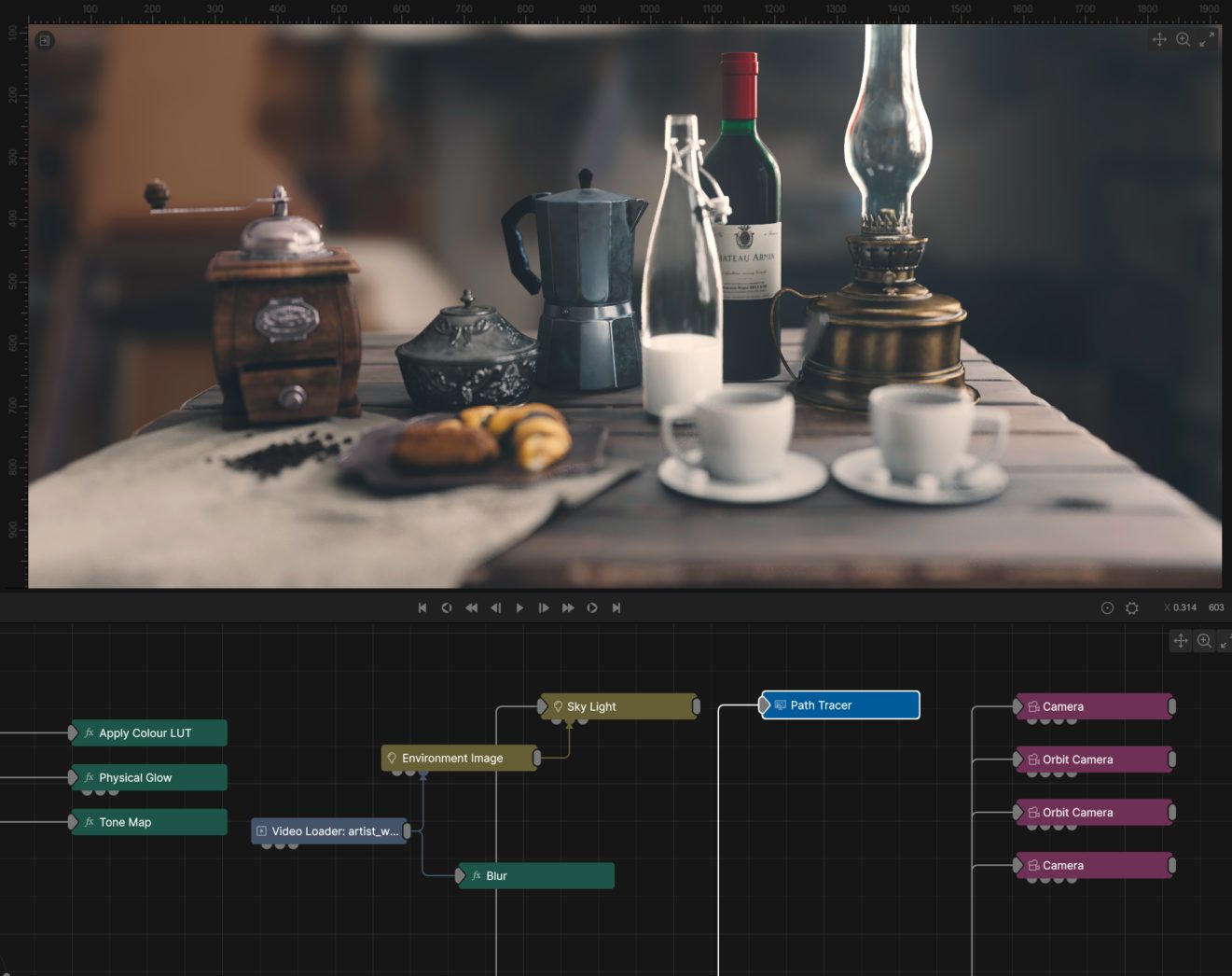
2026.2, Path Tracer
The new rendering workflow has made all of these nodes obsolete, scenes with the individual raytracing nodes in them will be replaced by the Hybrid Renderer, and scenes with the path tracer + refinement will be replaced by the new Path Tracer with the refinement built-in.
As with the Lighting changes, improvements to the performance and lighting quality have meant that results cannot be guaranteed to match with a 0.9.23 project.
For more information on the new rendering systems, take a look at the new Rendering page.
Baked Lighting
#
The Bake Lighting To Object node from 0.9.23 has been temporarily removed while a replacement system is being developed for 2026.2. At this time, there is no estimated timeline for when this work will be completed.
Bins
#
Bins have been removed for 2026.2, and in their place a new system called Assets has been created. You can think of assets as bins that are easier to use, share and edit (and way more powerful too). Unfortunately, there isn’t a direct migration path for bins to Assets, so they will need to be migrated manually if you choose to do so.
To do this, you’ll need to load all of your old bins into a project in 9.23 and save this project. Load this project in 2026.2, and manually convert the individual node systems into assets using the Assets creation guide.
For more information on the assets workflow, take a look at the Assets page.
Fields
#
As a general rule, upgrading a Field system to 2026.2 is not advised. The new simulation technology is substantially more advanced than what was previously available, so while the same Emitters and Affectors will still work, the settings will need to be adjusted significantly to generate similar behaviour to older releases.
2D Field systems mostly work in the same way as previous releases, the only major change being the Field Root becoming the Field 2D Root. The Field Renderer has also had a name change to the Field 2D Renderer, to reflect this change. Further, the properties of the Fluid Affector have now been incorporated into the Field 2D Root, to match the settings of the 3D Field.
However, 3D Fields operate quite differently, and you should not expect similar results to previous releases. If you are seeking a workaround, a good starting point is to set the Temperature Mode to Forces Only and adjust the Advection Modes to Simple. Density may also need to be adjusted for all Fields to match previous behaviour. The properties for fluid simulation previously existed on the Fluid Affector, but are now built into the Field 3D Root and the Field 2D Root, so you may need to adjust the simulation performance and vorticity values to match the previous behaviour.
The rendering of 3D Fields has been completely rewritten to function with the new Rendering system. As a result, 3D Fields require a new Field 3D Renderer to render the field in the scene. There is also no longer a need to add special nodes to light a field system - the field will be accurately lit by the lights already present in your scene. Old scenes with the previous Field Lighting nodes will require new light setups to match the previous look.
Shading
#
The Shading nodes in version 2026.2 have undergone a complete redesign. This means that existing systems will need to be rebuilt from scratch.
In most cases, this will only involve reconnecting the nodes to either the colour or normal inputs on the material. In some cases, some properties may need adjusting too, but these changes will likely be minimal.
Realsense Cameras
#
Support for Intel Realsense cameras has been removed.
Deprecated Nodes Between 0.9.23 and 2026.2
#
With the major improvements coming for 1.0, many nodes are no longer needed and have been deprecated. Below is a list of these nodes, and the functionality or workflow that has superseded them.
3D
#
| Node |
Comment |
| Freeze Geometry |
Replaced by the Freeze deformer node. |
Cloning
#
| Node |
Comment |
| Clone to Point Cache |
Point cache has been removed, and this functionality can be better used with other clone generators. |
Fields
#
| Node |
Comment |
| Fbm Deformer |
Removed due to incompatibility with the new field system. |
| Field Level Set Root |
Improved and built into the new Field 3D Root. |
| Field Lighting |
Lighting is now handled directly by the new rendering systems. |
| Field Renderer |
Replaced by the new Field 2D Renderer and Field 3D Renderer nodes in the new Fields System. |
| Field Root |
2D and 3D Field systems should be rebuilt using the new Field 2D Root or Field 3D Root nodes, respectively. |
| Field Shadows |
Lighting is now handled directly by the new rendering systems. |
| Fluid Affector |
Removed and built into the new field root. |
| Sine Deformer |
Removed due to incompatibility with the new field system. |
Geometry
#
| Node |
Comment |
| Convex Hull |
Didn’t offer much functionality, other remeshing nodes now exist, and doesn’t work with the updated geometry nodes. |
| Imported 3D Scene |
Replaced by the new 3D Scene node. |
| Line Renderer |
This functionality has since been added to the individual geometry nodes, and is therefore obsolete. Use the lines tab on a geometry node instead. |
| Node |
Comment |
| Generate Fertilizer Times Deformer |
Has been replaced by the new Fertilize node. |
Lighting
#
| Node |
Comment |
| Area Lights From Polygons |
Emissive surfaces are now fully handled by the rendering nodes, so use an Emissive Material instead. |
| Bake Lighting To Object |
This node has been temporarily removed whilst the baking workflow is being redesigned. |
| Environment Map |
The Environment Image and Sky Light nodes fully handle lighting a scene in all renderers, environment maps are no longer necessary. |
| Planar Environment Map |
Reflections are now fully handles by each renderer, so you can choose the reflection quality there. |
| Planar Reflections |
Reflections are now fully handles by each renderer, so you can choose the reflection quality there. |
| Point Cache |
The new probe and raytracing based render nodes no longer use point caches to generate lighting. |
| Point Lights From Vertices |
Lights can now be cloned! Convert the points source to clones (Particle Cloner, Array Cloner) and copy lights everywhere! |
| Probe Grid |
The new probe and raytracing based render nodes no longer need the probe grid to generate lighting. |
| Probe Lighting |
The new probe and raytracing based render nodes have substantially faster probes built-in, so this node is no longer needed. |
| Project Image |
This effect can now be done better either with lights or with shading nodes. This effect can also be achieved using the Decal node. |
| Screen Space Ambient Occlusion |
Ambient occlusion is now built into each renderer, so you can choose which type of AO to use there. |
| Screen Space Reflections |
Reflections are now fully handles by each renderer, so you can choose the reflection quality there. |
| Shadow Volume |
Not compatible with the new rendering nodes. |
| Volumetric Lighting |
Volumetrics is now built into each renderer, so you can choose the volumetric amount directly in the renderer node. |
| Voxel Cone Lighting |
The various capabilities of the voxel cone have been replaced by the new renderers, all of which offer higher quality and better performance. For Voxel cones set up with Ambient Occlusion, add an ambient light and set the ambient occlusion in the renderer to multiply. |
Materials
#
| Node |
Comment |
| Multi Material |
Replaced and improved by the Blend Materials, node. |
| Semi-Transparent RT Material |
Transparency is now correctly handled by the Path Tracer, so this node is no longer needed. |
Nodes
#
| Node |
Comment |
| Photon Visualiser |
No longer functions with new Raytracing systems, deprecated until it can be redesigned. |
| Triangle Octree Node |
No longer functions with new Raytracing systems, deprecated until it can be redesigned. |
Particles
#
| Node |
Comment |
| Cloth Affector |
Use the new Cloth Deformer instead. |
| Mesh Attractor |
Use the new Mesh Attractor instead. |
| Mesh Renderer |
Use Particle Cloner instead. |
| Point Cache Emitter |
Point cache has been removed, and this functionality can be better used with other emitters. |
Post-FX
#
| Node |
Comment |
| Depth of Field |
Depth of field is now handled within the renderer and camera nodes. |
| Object Motion Blur |
Motion blur is now handled within the render nodes. |
| Temporal Temporal Antialiasing |
Anti Aliasing support is now built into renderering nodes. |
Procedurals
#
| Node |
Comment |
| Heightmap Generator |
Node was non functional and has now been deprecated. There are better ways of generating a displacement map. |
| Meshing Texture Map |
Triplanar mapping is now an option on texture shading nodes, making this option obsolete. |
| Procedural Shading |
A new procedural node for shading systems offers a far more efficient and controllable shading system. |
| Volume Generator |
The Procedural Raytracer offers far better volume generation. |
| Volumetric Tracer |
The Procedural Raytracer with the render mode set to volumetric mode offers far better volume rendering. |
Ray Tracing
#
| Node |
Comment |
| Pathtracer |
Path tracing functionality has been rebuilt and moved into a new node called Path Tracer. |
| RT Ambient Occlusion |
Ambient occlusion options are now built into each of the render nodes. |
| RT Diffuse Bounces |
All renderer nodes now have built-in options to handle diffuse bounces. |
| RT Glass Refraction |
All renderer nodes now have built-in options to handle refraction. |
| RT Mirror Reflection |
All renderer nodes now have built-in options to handle reflections, many of which use mirror reflections. |
| RT Multi-Bounce Reflection |
All renderer nodes now have built-in options to handle reflections. |
| RT Real Time Denoiser |
Denoising is now built into the render nodes which can need denoising. |
| RT Refinement |
Functionality is now built into the rendering nodes. |
Video nodes
#
| Node |
Comment |
| AI Upscale |
Deprecated due to incompatibility with newer NVIDIA GPU drivers. |
| Find Features |
Nodes were part of a larger system that has since been deprecated, but were missed. |
| Geometry Image Source |
Node functionality has been removed. |
| Kinect Stream Renderer |
Node functionality has been removed. |
| Track Features |
Nodes were part of a larger system that has since been deprecated, but were missed. |
| Track Points |
Nodes were part of a larger system that has since been deprecated, but were missed. |
| Video Clip |
Use Video Clips instead. |
| Video Output Renderer |
Node functionality has been removed. |
Misc
#
Nodes Renamed Between 0.9.23 and 2026.2
#
3D
#
Cloning
#
Fields
#
Generators
#
Interactive
#
Layers
#
Lighting
#
Logic
#
Materials
#
Modifiers
#
Particles
#
Physics
#
Post-FX
#
Procedurals
#
Shading
#
Sound
#
Text-FX
#
Video
#