Gaussian Splats
Updated: 1 Jul 2026
Add an imported gaussian splat to the scene.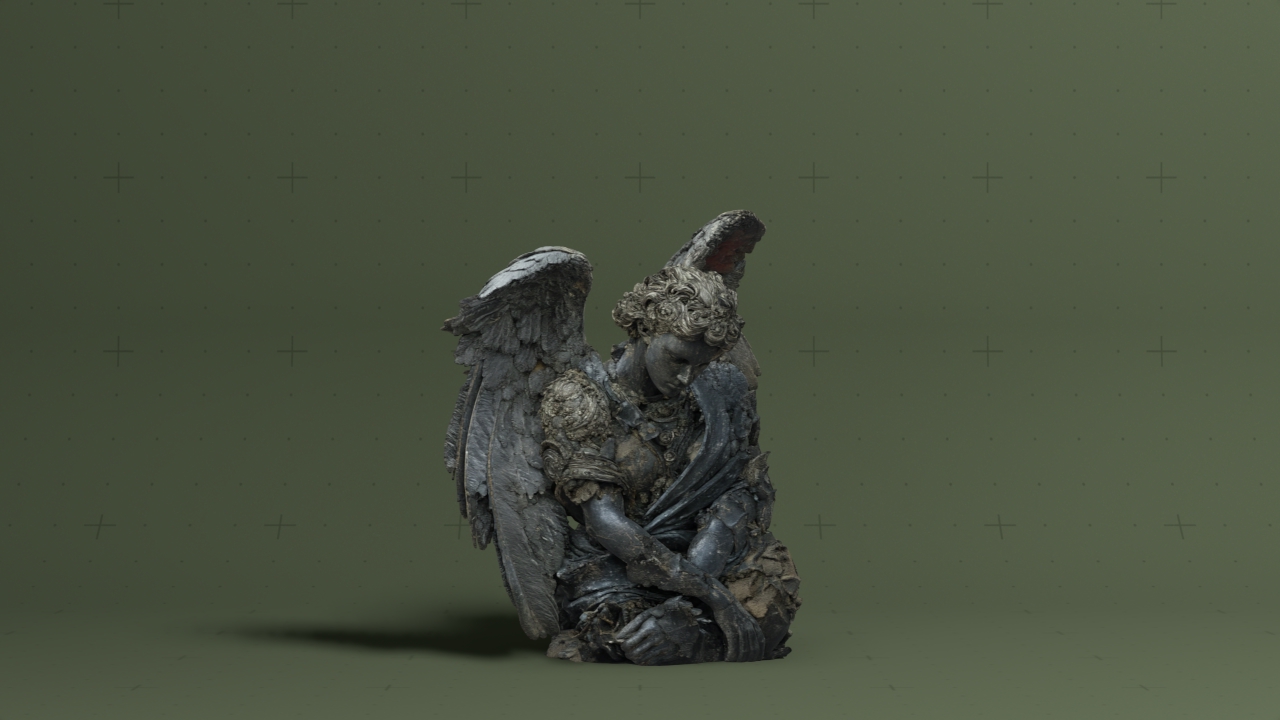
Updated: 1 Jul 2026
Add an imported gaussian splat to the scene.
This node renders a Gaussian Splat model imported from an external file. Gaussian Splats are represented as collections of oriented volumetric points, allowing highly detailed scene and object reconstruction from photogrammetry and neural rendering workflows while remaining efficient for real-time rendering.
Like other 3D scene nodes, Gaussian Splat nodes can be positioned, rotated, scaled and parented within a Notch scene. Splats can be illuminated using standard Notch lighting, allowing them to integrate naturally with other scene elements and rendering workflows. Gaussian Splats can be transformed and deformed using standard Notch transform and deformation workflows. However, unlike mesh geometry, the splats represent a captured volumetric dataset rather than a continuous surface. As a result, significant deformation may produce unexpected visual artefacts as the splats no longer align to reconstruct the original captured appearance.
The supported formats are:
Gaussian Splat (.PLY)
These properties control the 3D transforms of the node. Transforms will generally be inherited by child nodes, although they can be ignored through the Inherit Transform Channels attributes.
| Parameter | Details |
|---|---|
| Position X | The objects position along the local x-axis. |
| Position Y | The objects position along the local y-axis. |
| Position Z | The objects position along the local z-axis. |
| Rotation Heading | The objects rotation around the local y-axis. |
| Rotation Pitch | The objects rotation around the local x-axis. |
| Rotation Bank | The objects rotation around the local z-axis. |
| Scale X | The objects scale along the local x-axis. |
| Scale Y | The objects scale along the local y-axis. |
| Scale Z | The objects scale along the local z-axis. |
Control the inheritance of the transforms from the parent.
| Parameter | Details |
|---|---|
| Position | Toggle inheritance of the Position from the parent. |
| Rotation | Toggle inheritance of the Rotation from the parent. |
| Scale | Toggle inheritance of the Scale from the parent. |
| World Position Only | Inherit the world position from the parent only, rotation and scale will be ignored. Overrides above properties. |
| Inherit Time | Toggle inheritance of time from the parent. |
These properties control the pivot position the object, the point at which the transforms will be applied around.
| Parameter | Details |
|---|---|
| Pivot Mode | Control where the pivot point is generated for the object. |
| Pivot Point Selection | In custom mode, filter the points shown on the bounding box for placing the pivot. |
| Pivot Position X | In custom mode, directly edit the x position of the pivot. |
| Pivot Position Y | In custom mode, directly edit the y position of the pivot. |
| Pivot Position Z | In custom mode, directly edit the z position of the pivot. |
| Edit Pivot | TODO |
| Dynamic Update | Control whether the changes to the pivot dynamically update the object. |
These properties control the core behaviours of the node.
| Parameter | Details |
|---|---|
| Isolate In Viewport | When enabled, all other objects in the scene will be hidden and only this node will be rendered. |
| Object | Select the source gaussian splat resource. |
| Layer Index | Select a specific mesh from a larger 3D scene. |
| Deformer Shader | Select shader to use as deformer on the object. |
| Lit | Toggle whether the object can be lit by scene lights. |
| Render As Boxes | Render the individual gaussian splats as boxes. |
| Splat Scale | Control how big the individual gaussian spats are. |
| Alpha | Alpha transparency of the gaussian splat. |
| Shadow Alpha | Alpha transparency of the shadows in the gaussian splat. |
| Emissiveness | How much the gaussian splat emits light. |
| Motion Blur Velocity Scale | Scales the velocity vectors used in the motion vector pass, primarily used for motion blur effects. Useful for exaggering or removing motion blur on specific objects in the scene. |
| Object Vertex Count | Shows the original vertex count of the object. |
| Object Polygon Count | Shows the original polygon count of the object. |
| Post-Deformer Vertex Count | Shows the current vertex count of the Object after all the deformers have been applied. |
| Post-Deformer Polygon Count | Shows the current polygon count of the object after all the deformers have been applied. |
These properties control how the geometry is rendered into the scene.
| Parameter | Details |
|---|---|
| Visible | Control whether the node is visible or not to the scene. |
| Visible To Camera | Is the object visible to the camera. |
| Render As Depth Mask | Renders to depth only, no colour. |
| Visible In Bounces | Is the object calculated in bounce related render properties such as reflections. |
| Casts Shadows | Toggle whether the object can cast shadows. |
| Per Object Composite Alpha | Overwrites the alpha channel beneath the object, giving simple effect of transparency. Best used when the mesh won’t overlap with other objects, as other meshes will not be seen through the mesh. |
The properties control the time at which the node is active. See Timeline for editing time segments.
| Parameter | Details |
|---|---|
| Duration |
Control the duration of the node’s time segment.
|
| Node Time | The custom start and end time for the node. |
| Duration (Timecode) | The length of the node’s time segment (in time). |
| Duration (Frames) | The length of the node’s time segment (in frames). |
| Time Segment Enabled | Set whether the node’s time segment is enabled or not in the Timeline. |
| Name | Description | Typical Input |
|---|---|---|
| Transform Modifiers | Apply the transforms of another node to this node. | Null |
| Target Node | Modifiy the rotations of the node to always direct the z axis towards the input. | Null |
| Local Transform Override | Apply the transforms of another node to this node, relative to its parent. | Null |
| Parameter Value Array | Used to set the parameters of the node using an array. | Parameter Array |