

Particle Cache
Updated: 15 Sep 2026
Caches a particle system for potentially faster and repeatable results.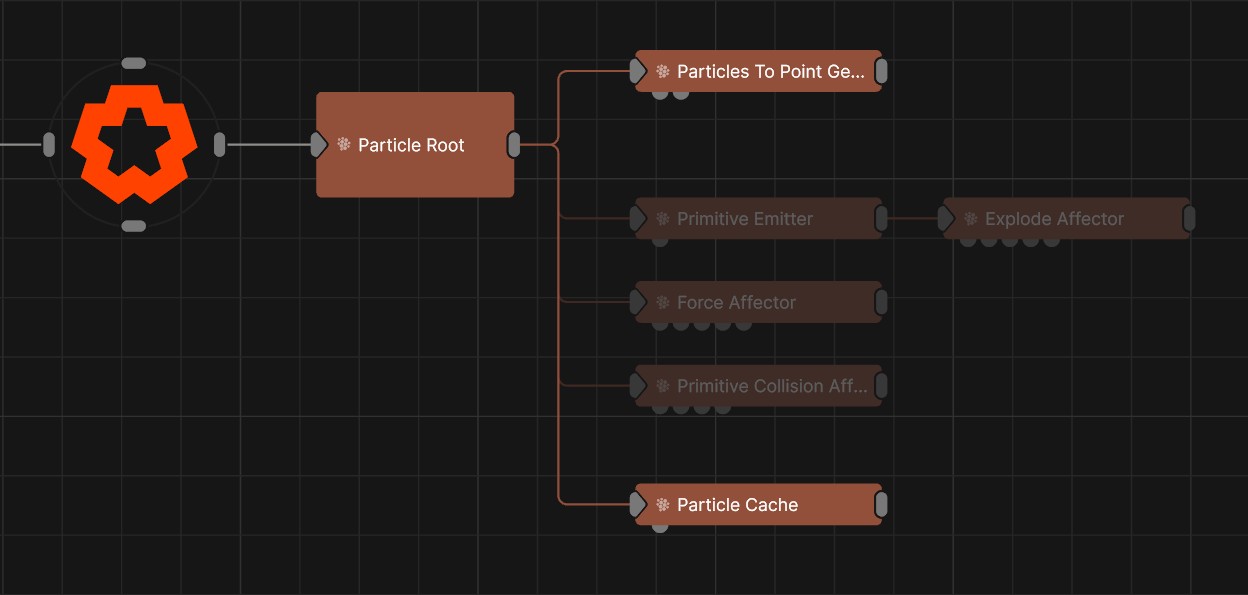
Updated: 15 Sep 2026
Caches a particle system for potentially faster and repeatable results.
The particle cache node allows you to store the animation of particles to disk. This allows them to be scrubbed in time and played deterministically rather than simulated during playback. Particle cache files may be very large on disk.
When the baking is finished, you can disable the other particle emitters / affectors, as they no longer contribute to the scene.
Particle caching can generate very large files if a large number of particles is used. The frames per second will also influence the size of the cached file.
These properties control the 3D transforms of the node. Transforms will generally be inherited by child nodes, although they can be ignored through the Inherit Transform Channels attributes.
| Parameter | Details |
|---|---|
| Position X | The objects position along the local x-axis. |
| Position Y | The objects position along the local y-axis. |
| Position Z | The objects position along the local z-axis. |
| Rotation Heading | The objects rotation around the local y-axis. |
| Rotation Pitch | The objects rotation around the local x-axis. |
| Rotation Bank | The objects rotation around the local z-axis. |
| Scale X | The objects scale along the local x-axis. |
| Scale Y | The objects scale along the local y-axis. |
| Scale Z | The objects scale along the local z-axis. |
Control the inheritance of the transforms from the parent.
| Parameter | Details |
|---|---|
| Position | Toggle inheritance of the Position from the parent. |
| Rotation | Toggle inheritance of the Rotation from the parent. |
| Scale | Toggle inheritance of the Scale from the parent. |
| World Position Only | Inherit the world position from the parent only, rotation and scale will be ignored. Overrides above properties. |
| Inherit Time | Toggle inheritance of time from the parent. |
These properties control the core behaviours of the node.
| Parameter | Details |
|---|---|
| Bake Now.. | Open baking panel and begin bake |
| Particle Cache | Cached file |
| Realflow Animation | Load *.bin realflow file |
| Playback Rate | Playback speed |
| Playback Time Offset | Offset the playback Time |
| Looping | Enable loop playback |
| Use Node Material | Use the particle material on this node, instead of the material baked into the cache |
Tints the particles colours from the emitter. To enable, add an colour ramp input to this node.
| Parameter | Details |
|---|---|
| Colour Selection Mode |
Choose how the input colour affects the particles.
|
| Colour Selection Parameter | A number used to select the colour output. |
These properties control the material the particles use for emission.
| Parameter | Details |
|---|---|
| Colour | RGB colour of particles. |
| Diffuse | Control how much the light is scattered from the surface of the object. |
| Emissiveness | Control how much light is emitted by the particle. |
| Life Colour Affector Weight | How strongly the particle life colour curve drives this emitter’s output colour. |
| Particle Scale | Scale the size of the particle. |
| Dof Amount | How much depth of field effects the particles material. |
| Density | The density, for use in some simulations. |
| Temperature | The density, for use in some simulations. |
| Cooling Rate | The cooling rate, for thermal dynamics simulations. |
| Density Decay | Control the rate of decay in the density. |
| Fade In Time | What percentage through the particles life span the particle fades in. |
| Fade Out Time | What percentage through the particles life span the particle fades out. |
The properties control the time at which the node is active. See Timeline for editing time segments.
| Parameter | Details |
|---|---|
| Duration |
Control the duration of the node’s time segment.
|
| Node Time | The custom start and end time for the node. |
| Duration (Timecode) | The length of the node’s time segment (in time). |
| Duration (Frames) | The length of the node’s time segment (in frames). |
| Time Segment Enabled | Set whether the node’s time segment is enabled or not in the Timeline. |
| Name | Description | Typical Input |
|---|---|---|
| Colour Control Nodes | Control the colours of the particles on emission. | Colour Ramp |
| Transform Modifiers | Apply the transforms of another node to this node. | Null |
| Target Node | Modifiy the rotations of the node to always direct the z axis towards the input. | Null |
| Local Transform Override | Apply the transforms of another node to this node, relative to its parent. | Null |
| Parameter Value Array | Used to set the parameters of the node using an array. | Parameter Array |