

CSV Float Array
Updated: 15 Jun 2026
Creates an array of floats from a CSV file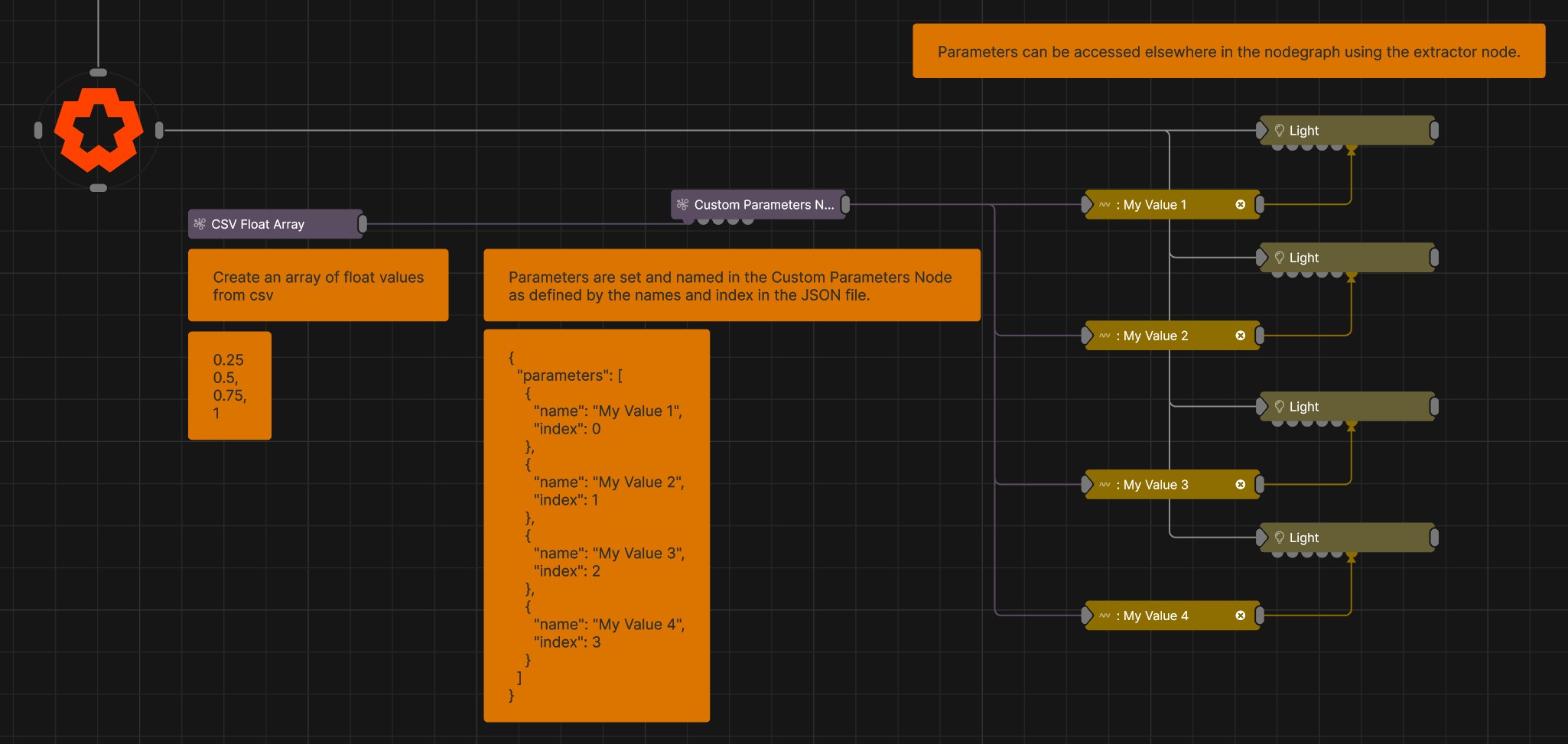
Updated: 15 Jun 2026
Creates an array of floats from a CSV file
This node creates an array of floats from a CSV file. The node will create an array of float values that it reads form a row in a CSV file. A CSV table can be used, and the node will return the array of a specified row based om the specified index.
This node creates float arrays based on rows of values, not columns.
CSV files can be imported as resources by clicking and dragging the CSV file from your file browser into the Resources Panel of Notch.
CSV files referenced by a Notch Block can be updated during runtime with the use of this JavaScript function. This can be a good way of keeping elements of your project adjustable once you have exported your Notch Block or Standalone Application.
All the CSV Float Array really does is let you do is receive all those modes in one place. But that opens up some new workflows, using the Custom Parameters and the Float Array To Points node.
There is more detail on the specific nodes pages, but the Custom Parameters node lets you either: Take your CSV float array’s data and apply it directly to control multiple parameters on a node at once, via one connection, or create your own custom parameters that you can then receive, extract and apply anywhere else across your node graph.
The Float Array To Points will turn your array into a series of points in 3D space.
| Parameter | Details |
|---|---|
| CSV File | Select a CSV file from your resources to read and create an array from |
| Max Array Size | Sets the maximum size of the float array. Any floats stored after this index in the array will be removed/cut off. |
| Index Offset | Sets the starting point of the float array. Any floats stored before this index in the array will be removed/cut off. |
| Table Layout |
Determines the format of the CSV file that is being read
|
| Row Index | Select which row of the table is being converted into a float array. |
| Offset | Applies an offset to where the array is created from. Applying an offset of 1 will mean that the first value in the row will not be included in teh array. |
| Skip | How many csv entries to skip. |
The properties control the time at which the node is active. See Timeline for editing time segments.
| Parameter | Details |
|---|---|
| Duration |
Control the duration of the node’s time segment.
|
| Node Time | The custom start and end time for the node. |
| Duration (Timecode) | The length of the node’s time segment (in time). |
| Duration (Frames) | The length of the node’s time segment (in frames). |
| Time Segment Enabled | Set whether the node’s time segment is enabled or not in the Timeline. |
This node has no inputs.
| Name | Description | Typical Input |
|---|---|---|
| Float Array | Takes a float array as an input | Float Array |
| Parameter Value Array | Used to set the parameters of the node using an array. | Parameter Array |