

Multi-Null Interpolator
Updated: 16 Jun 2026
Interpolate between any two points from a set of points.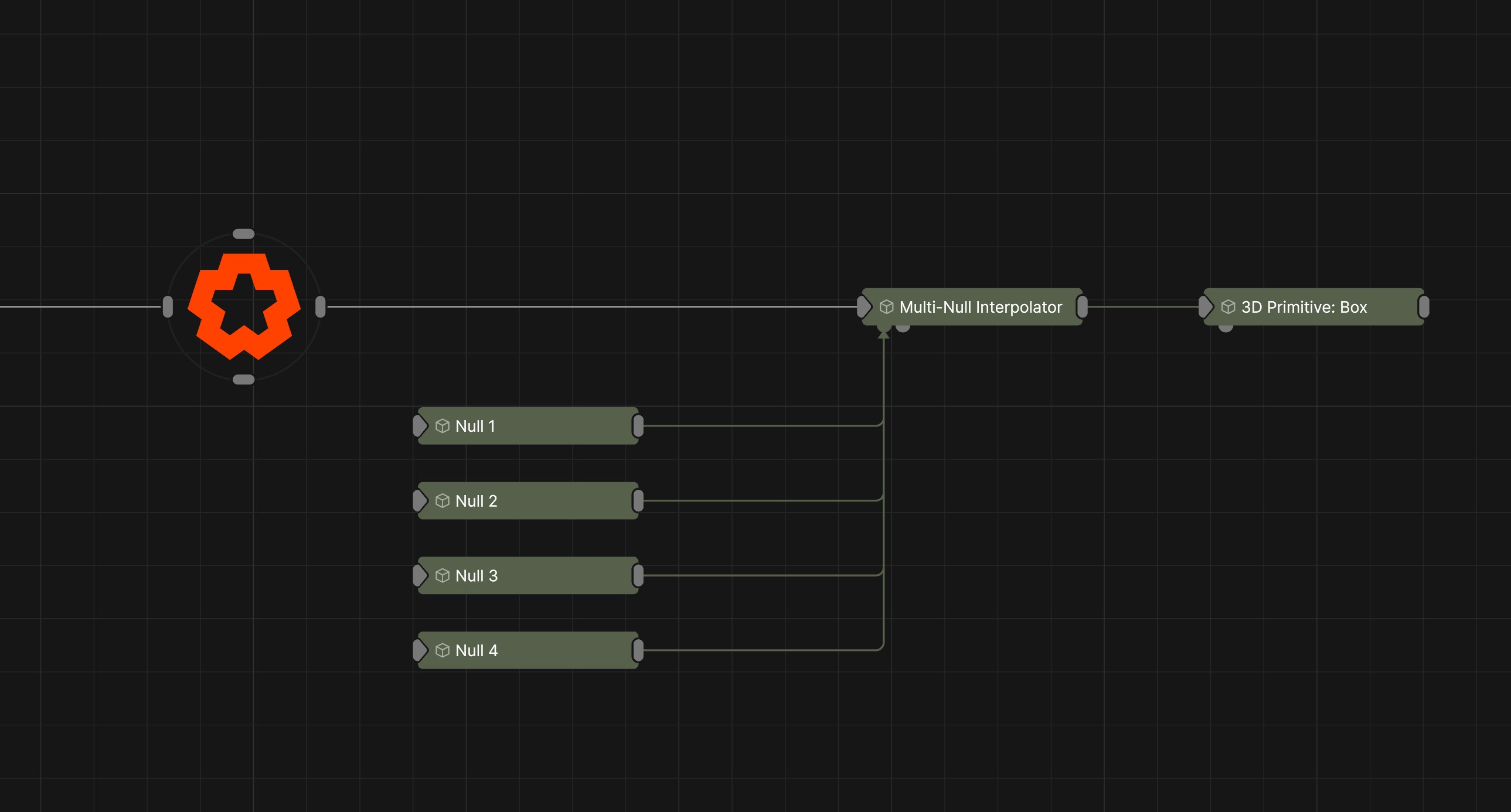
Updated: 16 Jun 2026
Interpolate between any two points from a set of points.
This node lets you define multiple points (nulls) and interpolate between any pair of them. You can control how the interpolation is animated either globally for all transitions, or individually for each path between two points.
Useful for animating specific camera movement between points while providing extensive control over the path and rotation.
Allows you to select a source and destination point, and then interpolate between them over a set time.
Allows you to scrub through the interpolation between two points using an “interpolation value”.
Here you can set the interpolation method between any two points individually. You can also keyframe the animation between each set of two points, giving you extremely granular control of how each interpolation is animated. Once you have set the interpolation modes for each path here, you can go back and use either Next Index - Time, or Pair Of Indices mode to drive the animation.
These properties control the core behaviours of the node.
| Parameter | Details |
|---|---|
| Mode |
Set the method of controlling the interpolation.
|
| Destination Index | Index of the null to interpolate to. |
| Jump To Next | Jump instantly to the Destination Index. |
| Current Source | Displays the currently selected source of the interpolation path. |
| Current Destination | Displays the currently selected destination of the interpolation path. |
| Current Interpolation | Displays the current position along the interpolation animation. |
These properties control the interpolation controls when using the Editing Mode.
The properties control the time at which the node is active. See Timeline for editing time segments.
| Parameter | Details |
|---|---|
| Duration |
Control the duration of the node’s time segment.
|
| Node Time | The custom start and end time for the node. |
| Duration (Timecode) | The length of the node’s time segment (in time). |
| Duration (Frames) | The length of the node’s time segment (in frames). |
| Time Segment Enabled | Set whether the node’s time segment is enabled or not in the Timeline. |
| Name | Description | Typical Input |
|---|---|---|
| Nulls | Transforms used to interpolate between. | Null |
| Parameter Value Array | Used to set the parameters of the node using an array. | Parameter Array |