

Test blocks with NotchBlockVerifier
Updated: 29 Apr 2026
Updated: 29 Apr 2026
NotchBlockVerifier is a small application for testing Notch blocks. It is the ground-truth for Notch block integration and performance.
It provides:
NotchBlockVerifier is often used for diagnosing functional, performance & licensing issues on media servers.
NotchBlockVerifierD3D11.exe is included in the Notch Builder installer under C:\Program Files\Notch 1.0
You can also download it separately.
Download NotchBlockVerifier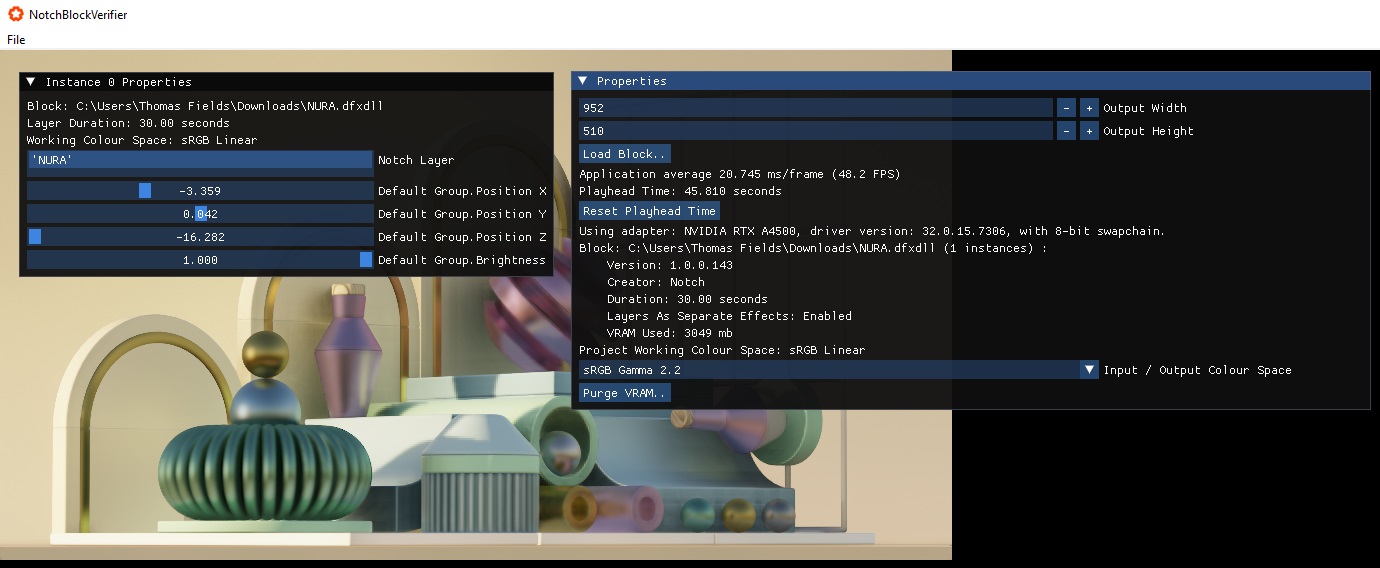
Key points:
NotchBlockVerifier will show you the following key performance metrics:
NotchBlockVerifier is a super light host application. Its only workload is to render the blocks. This differs from media-servers who have to perform other functions that take overhead (such as video playback, compositing, output management, etc).
Watermarks appearing over a blocks output are the result of:
In each case, you will be given a reason in white text in the blocks rendered output.
Certain features of Notch require additional SDKs to be installed and DLLs placed alongside NotchBlockVerifierD3D11.exe. Full details are available on the SDK Dependencies when using Media Servers page.
| Option | Description |
|---|---|
+use16BitBackbuffer value |
Where value is either 0 - disabled (default) or 1 - enabled. |
+filename value |
Where value is the path to the block you want to load. |