Selection Set
Updated: 12 Jan 2026
Lets you quickly select and manage groups of nodes.Updated: 12 Jan 2026
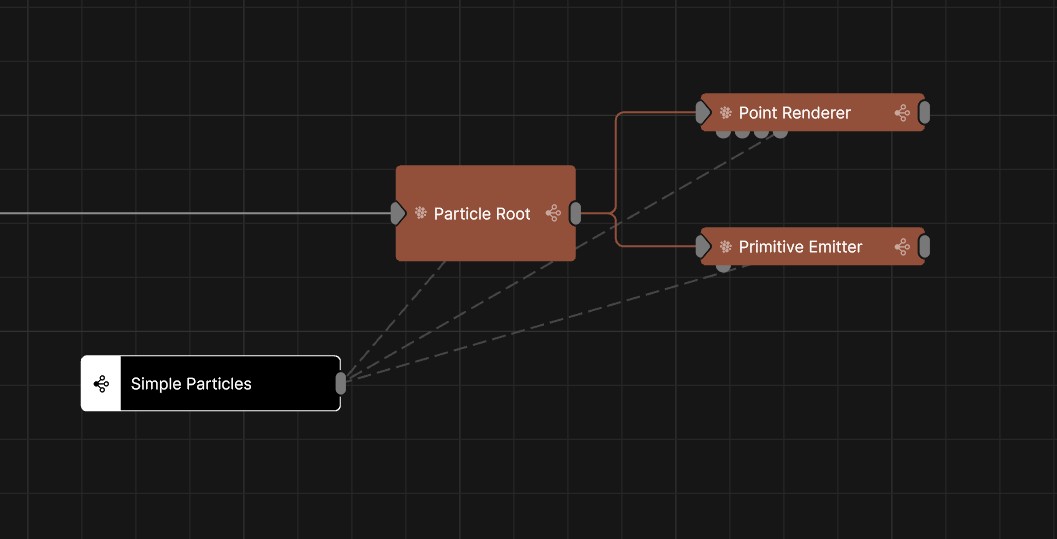
Lets you quickly select and manage groups of nodes.Selection sets allow you to quickly manage the selection of groups of nodes.Once a selection set has been created, double clicking on the selection set node will select all of the nodes that are inside of that selection set.
This can be really useful to build in to your project so that you can quickly select a group of nodes to make them available in the timeline or curve editor, to adjust their properties, or to re-organise your node graph.
There are two ways to create a selection set:
Once a selection set has been created, you can add nodes to the selection set by clicking and dragging from it’s output pin onto any node.
Holding shift while dragging from the output of any node allows you to make multiple connections at a time. Hold shift and click on multiple other pins.
To remove nodes from the selection set, select the selection set node, and then delete the links to other nodes with Ctrl + click.
You can re-name this node to give a descriptive name by clicking on it and hitting F5.