Managing Subscriptions
Updated: 22 Apr 2026
For Studios & Businesses
#

There are a few key terms to know when managing your subscriptions:
- Billing Account - Subscriptions & Playback licenses you purchase, belong to a Billing Account. Billing Accounts have a primary, owning user who controls the purchasing.
- Subscriptions - Subscriptions belong to a Billing Account, but are then assigned to users to use (even if that user is the owner).
- Users - This is anyone with a Notch login.
We have two types of Subscriptions…
- Software Based (Trial, Indie & VFX) - These subscriptions are tied to a users account and can be activated on PCs that they login to**. Read more…
- Dongle Based (RFX) - Codemeter USB Dongles are used for Notch RFX. The assigned user activates the RFX license on their dongle, using Notch Launcher. After that no login is required to use the license on the dongle. Read more…
** Software licenses can be used by a single user on two PCs simultaneously. You can perform up to 5x PCs authorisations in a 30 day period.
Assigning Subscription Licenses to Users
#
Assigning at Purchase
#
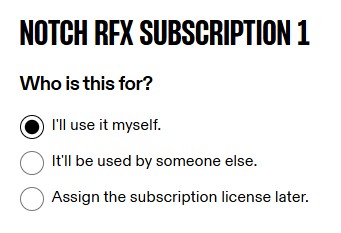
When purchasing Subscriptions, you are asked how you’d like to assign the license with three options:
- “I’ll use it myself” - which will assign the license to the purchaser.
- “It’ll be used by someone else” - which prompts to assign the license to another User.
- “Assign the subscription license later” - which leaves it unassigned.
Assigning at Other times
#
If you didn’t assign a user at purchase, you will need to assign one before the subscription can be used. To do this:
- Go to: Subscriptions in the management portal
- Find the unassigned Subscription that needs assigning and click
Assign license. 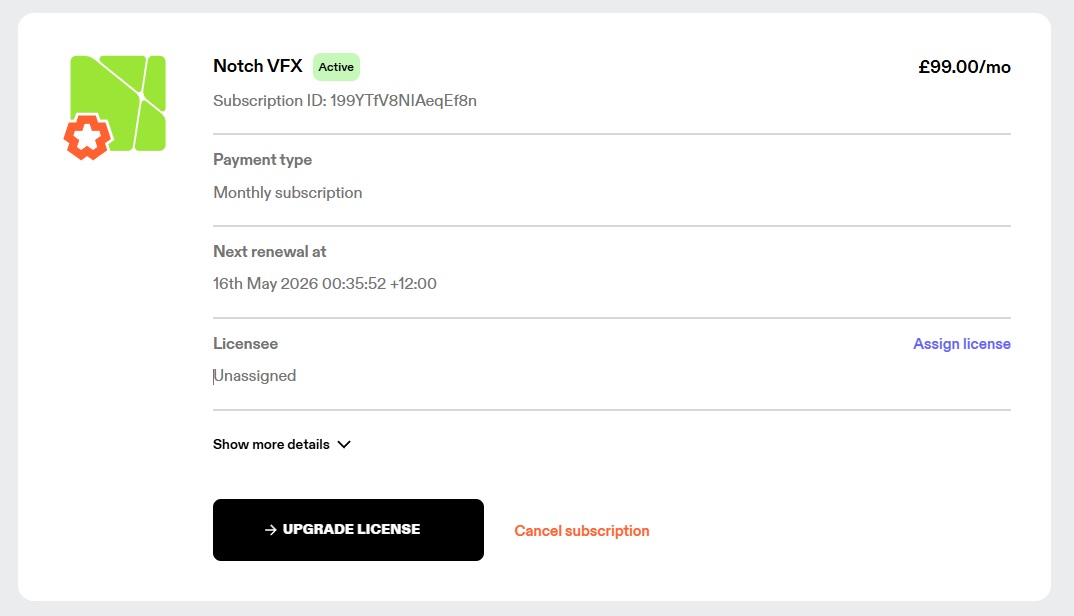
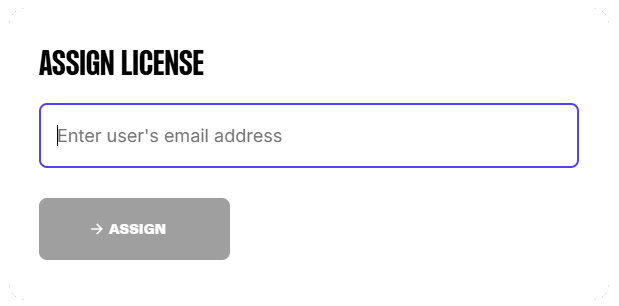
- Enter the email address of the person you wish to assign the license to and click
Assign.
The end user must have already created a Notch account for a license to be assigned to them. They can create one here.
To assign the license to yourself, just enter your email address.
- Now the assigned user will see the license in both:

