

User Interface
Updated: 10 Feb 2026
Updated: 10 Feb 2026
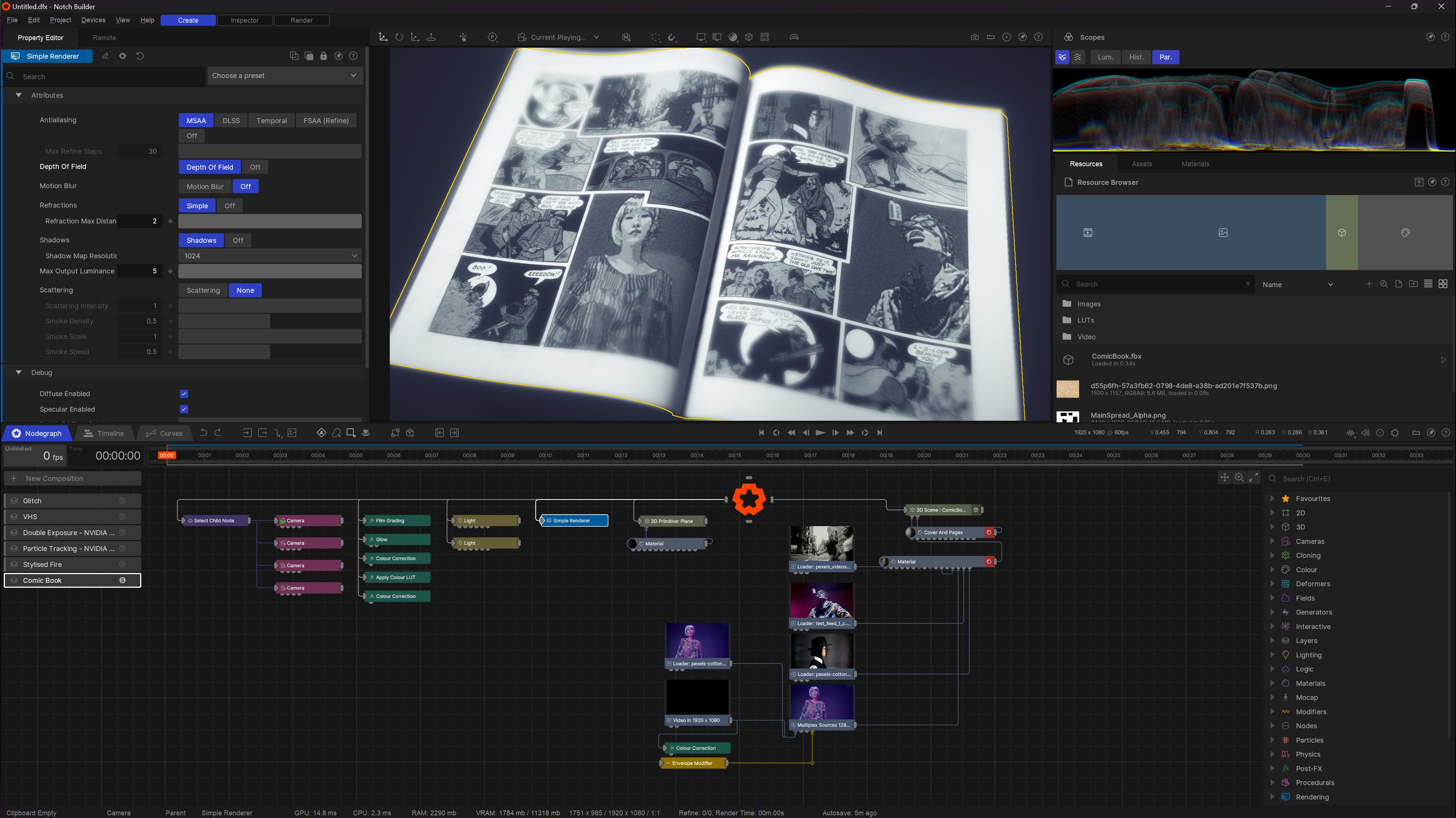
The Notch User Interface is broken into several main sections:
The render viewport of your scene.
| Navigation | How to navigate in the viewport |
| Handles | How to use the viewport handles to edit your scene. |
| Overlays | How to use the available overlays for the viewport. |
| Rendering | How you can change the viewport rendering to suit your needs |
| Asset And Material Browsers | Controls animations of keys and their interpolation. |
| Curve Editor | Controls animations of keys and their interpolation. |
| Inspector | Analyse and adjust imported resources. |
| Keyboard Shortcuts | The keyboard shortcuts for Notch Builder. |
| Launcher | The opening window for starting Notch Builder. |
| Log | Shows logging information. |
| New Project | The opening window when starting a new project. |
| Nodegraph | Craft your nodegraph to build your scene. |
| Preferences | Alter Notch Builder preferences. |
| Profiler | Allows Profiling of a DFX. |
| Project Settings | All the project specific settings. |
| Properties | Alter the properties of a node. |
| Render | Control image and video exports from Notch. |
| Render Queue | Queue up multiple renders from a Notch scene to export sequentially. |
| Resources Panel | Manage imported resources. |
| Scopes | Displays waveforms for your output image. |
| Timeline | Manage layers and effects in the current project, useful for sequencing and timing effects to run together. |