

Image Distance
Updated: 15 Jan 2026
Generates a distance field from an image and applies a colour gradient to it


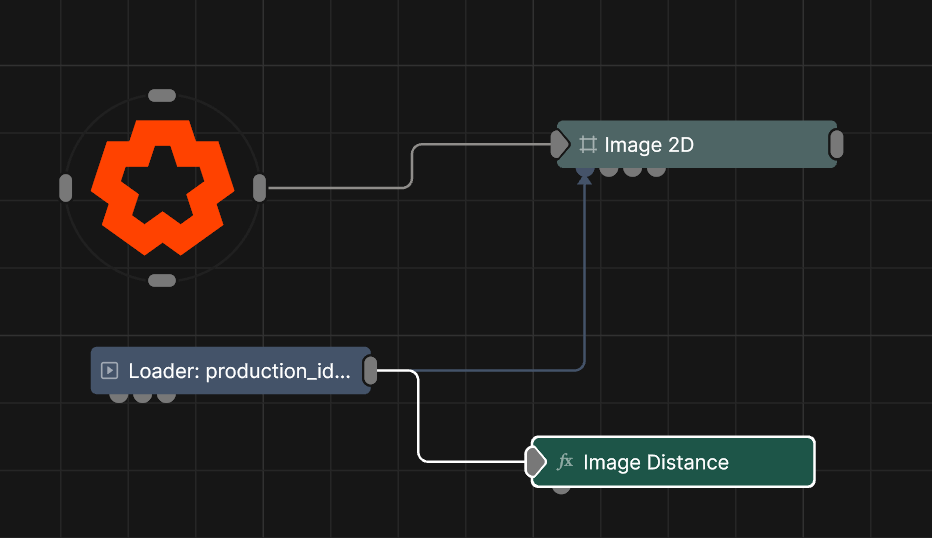
Updated: 15 Jan 2026
Generates a distance field from an image and applies a colour gradient to it
This node generates a distance field from a threshold and applies a colour gradient based on the distance.
Inside and outside areas of the image are calculated based on luminance. Values above the threshold are inside, and values below are outside.
Where inside and outside meet creates an "outline". It then uses a distance field to calculate the distance from each pixel to that outline.
It allows you to apply colour gradients based on the distance from the "outline" inwards or outwards.
These properties control the core behaviours of the node.
| Parameter | Details |
|---|---|
| Active | Enables or disables the effect. Disabling the effect means it will no longer compute, so disabling a node when not in use can improve performance. |
| Blend Amount | Changes the opacity of the new effect over the original image. |
| Blend Mode (RGB) | Change how the generated effect blends with the parent image RGB. |
| Blend Mode (Alpha) | Change how the generated effect blends with the parent image alpha. |
| Affected Channels | Toggle which of the RGBA channels are affected by the effect. |
| Mode |
How the gradient colours are distributed over distance.
|
| Threshold | Threshold that defines what areas of the image are inside an which are outside. |
| Distance Mode |
Set which directions to calculate distance.
|
| Fill Interior | If only using inside, or outside, this will fill in the opposite direction with colour from the gradient. |
| Distance Scale | Scale the amount of distance from the source which the effect will be applied to. |
| Distance Offset | Offset the where the start of the distance will start being calculated from. |
| Falloff Outer Range | Set the distance to start fading out the effect from. Works for both inside and outside distances. |
| Falloff Inner Range | Set the distance to start fading out the effect to. Works for both inside and outside distances. |
| Falloff Power | The curve by which the values are calculated between inner and outer falloff. |
| Colour Gradient Mode |
How the colours are picked from the gradient to be used in the effect.
|
| Colour Gradient Function |
How to repeat the gradient colours over the distance.
|
| Colour Gradient Scale | Scale the size of the gradient that is applied over the distance. |
| Colour Gradient Offset | Offset the starting point of the colours in the gradient. |
| Colour Gradient Power | Sets a curve for how colours are distributed across the gradient. |
| Colour Gradient Blend | Blends each colour from the gradient together. |
| Colour Gap | Adds a gap between each colour in the gradient. |
| Gradient Blend Mode |
How the effect is applied to the source image.
|
The properties control the colour of the effect.
| Parameter | Details |
|---|---|
| Num Gradient Colours | Number of colours in the gradient. Limited to 16. |
| Colour 0 | First colour in the gradient. |
| Colour 1 | Second colour in the gradient. |
The properties control the time at which the node is active. See Timeline for editing time segments.
| Parameter | Details |
|---|---|
| Duration |
Control the duration of the node’s time segment.
|
| Node Time | The custom start and end time for the node. |
| Duration (Timecode) | The length of the node’s time segment (in time). |
| Duration (Frames) | The length of the node’s time segment (in frames). |
| Time Segment Enabled | Set whether the node’s time segment is enabled or not in the Timeline. |
| Name | Description | Typical Input |
|---|---|---|
| Colour Ramp | Use a colour ramp to define the different colours used over the distance. | Colour Ramp |