

Procedurals
Updated: 22 Dec 2025
Updated: 22 Dec 2025
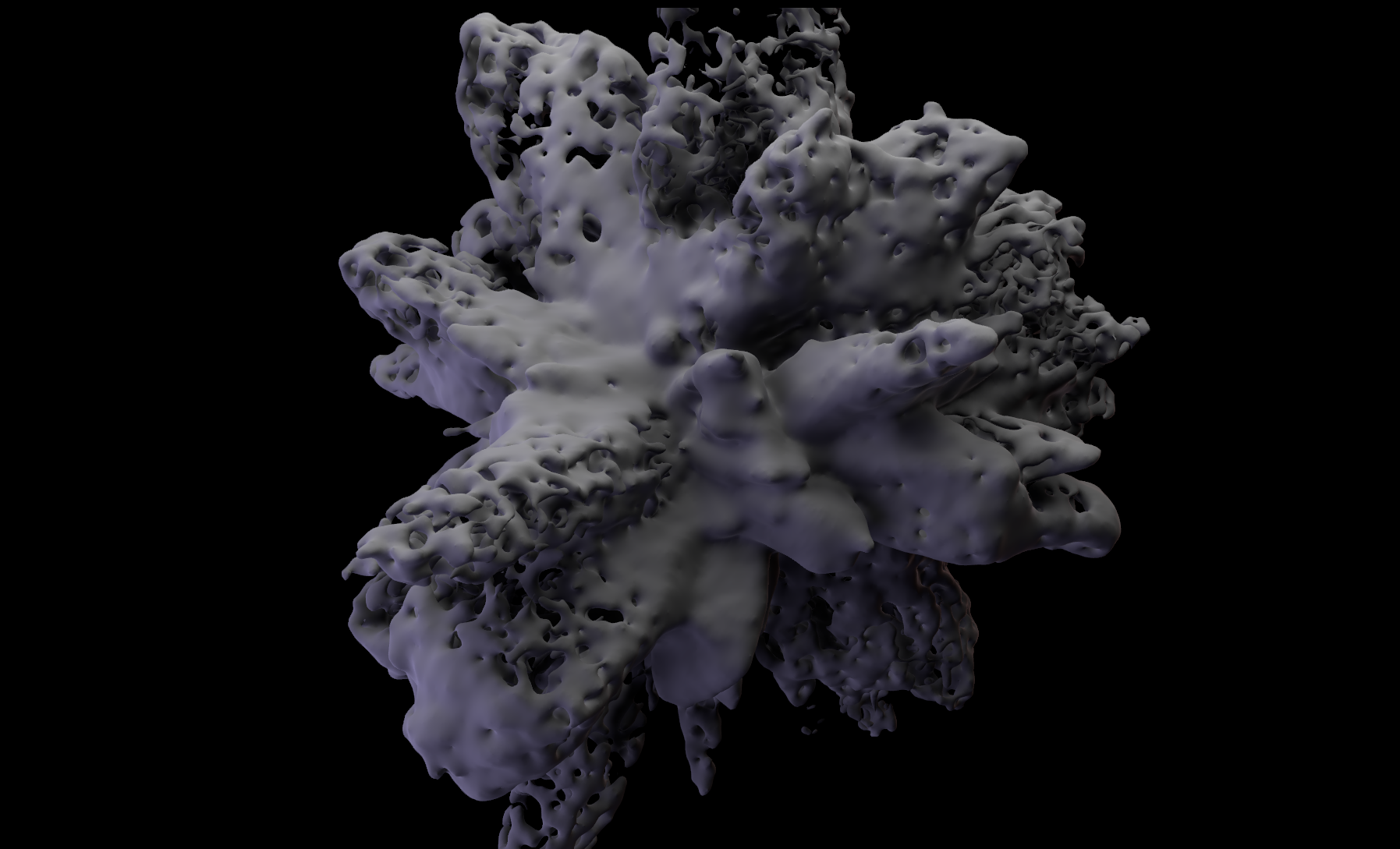
Notch has some very powerful methods for creating geometry procedurally. Procedural systems allow you to create 3D geometry from a wide range of generator sources, which can be cloned, displaced, meshed and rendered.
In Notch a procedural is a 3-dimensional field of signed distances, where an position in the field hold a value of its distance to a “surface”, defined by shapes added to the field. This is often known as a Signed Distance Field (SDF). An SDF alone does not represent geometry, but surfaces and volumes can be generated from the field and rendered conventionally using procedural rendering nodes.
Procedurals are incredibly flexible: forms can smoothly evolve, blend, and react to parameters, animation, audio, or external data in real time. Because everything is driven mathematically, changes occur instantly and non-destructively, and geometry can be made to constantly evolve and alter in a way that is incredibly difficult, if not impossible, with other methods.
Procedural systems can take inputs from your 3D resources, but also other systems within Notch such as particles and fields, allowing you to generate 3D geometry in real-time inside of Notch.
One other great use of procedural systems is to create procedural falloffs for other nodes.
Please refer to the Procedurals section of the manual for a detailed overview of the nodes contained within this system. To get a general overview of the functionality of procedural systems, read on.
There is also some good examples of using procedural systems creatively inside of the Samples in Notch Launcher which are a good jumping off point for diving into this group of nodes.
For a deep dive into the workings of procedural systems, see this Video.
Procedural systems use signed distance functions (SDFs). A signed distance filed means “for any point in space, give me the closest distance to the nearest surface. Make it signed: positive outside the shape, and negative inside the shape”.
This is a powerful method, with lots of many uses. For example, you can use a simple mathematical formula to generate complex shapes, without needing to be concerned about polygon topology etc. They can also be infinitely large and detailed, as the system is entirely described by functions.
Procedurals can be used for:
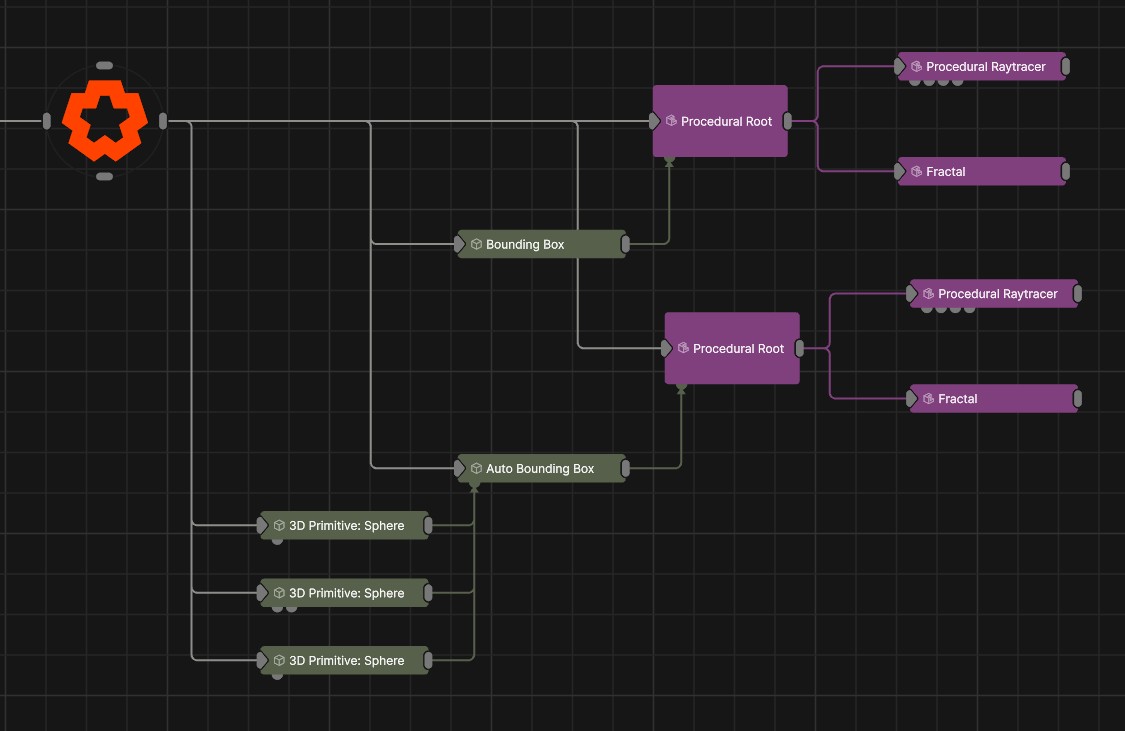
The minimum requirement to make a useful procedural system is one Procedural Root node and one Generator node. This then gives you an SDF which you can use to drive other systems, for example Procedural Falloffs of other nodes, or Procedural inputs to Field, Particle or Cloner systems.
A Procedural Renderer node is not essential for a procedural system to function, unless you need it to be visible in your 3D scene. In some cases, you can access all of the functionality of a Procedural system without a Renderer, which can reduce the cost of performance.
Before you can use a procedural system, you need to define the space in which he system will be active. This is necessary so that the computational resources needed for the system can be allocated.
This is done by using the Procedural Root. The position and scale of the Procedural Root will define where the procedural system will be calculated. This can be done in two ways:
The Auto Bounding Box node generates a bounding box based on the combined size of nodes input. This can be a useful alternative for setting up a Bounding Box automaticaly
Any procedural nodes that are attached the Procedural Root node, but positioned outside of the bounds of the Procedural system, will have no effect on the Procedural system. They will be ignored in all calculations of the SDF.
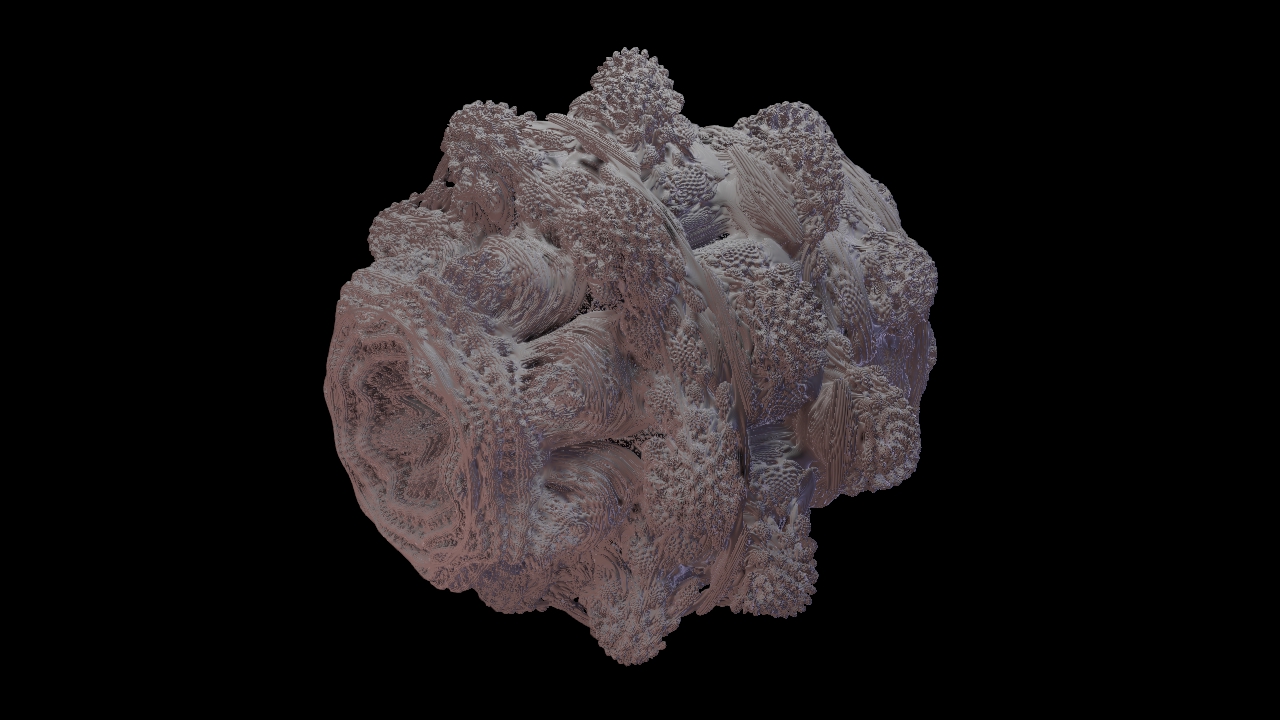
Generators are what is used to create the SDF. There is a variety of Generator nodes that let you create SDFs from a wide range of sources/methods. For a more detailed overview of each of these individual nodes, please read into them inside of their node specific page of the manual.
The way the generator is added to a procedural system can be controlled using the CSG properties. These can allow one generator to subtract from another, or blend from one shape to another.
Here is a quick overview of the available generators for a procedural system:
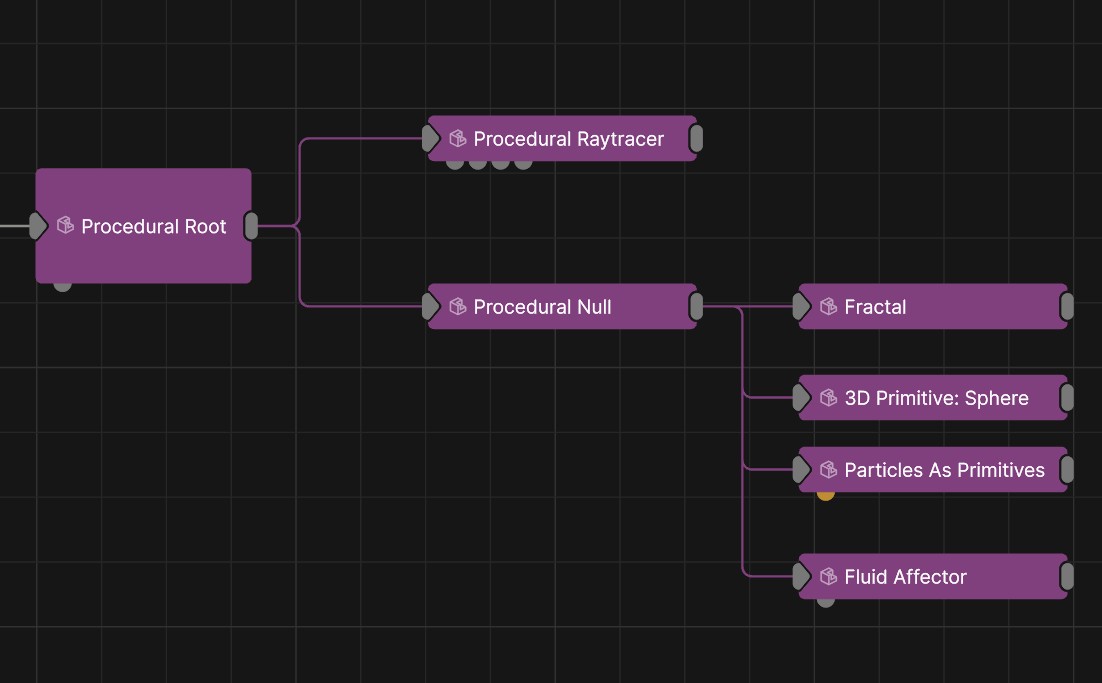
While not strictly a generator, a related utility node that can be very handy in combination with Generator nodes is the Procedural Null. This node combine multiple generators together before adding them to a Procedural system. An generators that are parented to the Procedural Null will be combined and treated as one system.
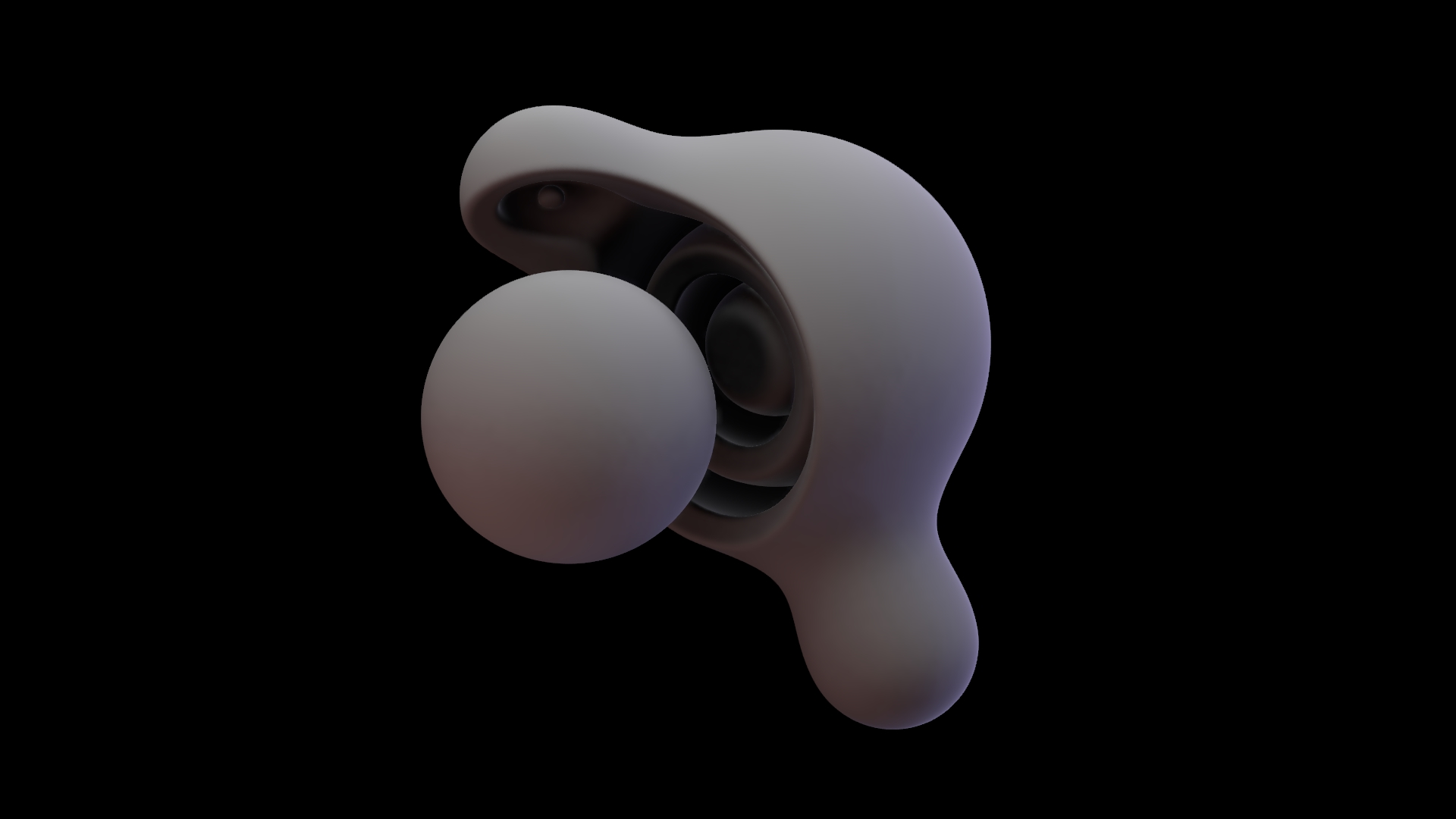
This property will determine whether a generator is treated as solid like a chocolate bar, or hollow## like a chocolate easter egg.
If the object is treated as a shell, then there is a control for how thick that shell is.
The CSG determines the boolean operation that is used to blend each Procedural Generator with the other generators within the system. They can be used to add or subtract objects from the pre-existing procedural system. Combining multiple generators with different nodes is a key part of the approach to getting interesting and useful results form procedural systems.
The position of nodes in the node graph determines what order they are applied in. The nodes at the top are calculated before the nodes below them. This means that the order of nodes in the node graph will change the result. if you want to subtract one generator from another, you will need the subtracting node below the node you wish to subtract from. This will ensure that teh bottom node “cuts” into the upper node.
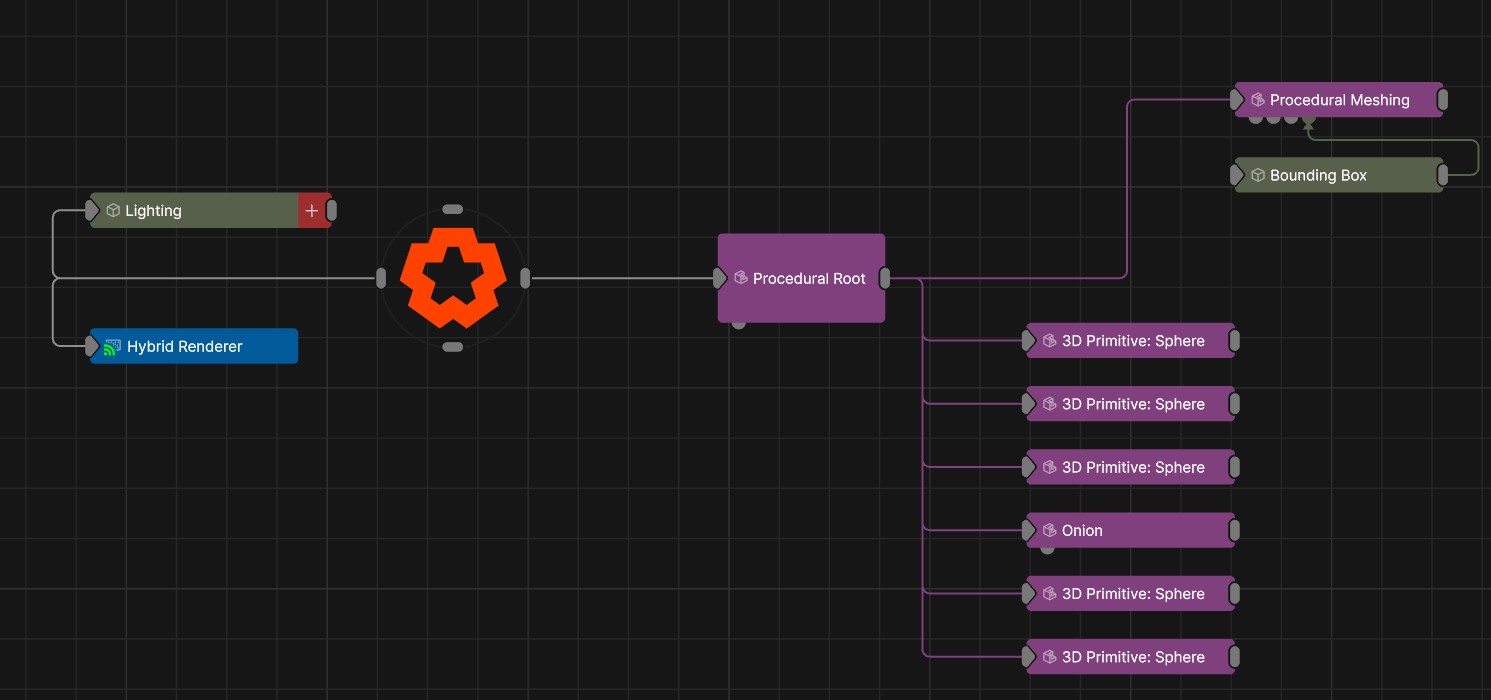
These nodes can be used to duplicate other sections of the procedural system. Anything parented to a procedural cloning node will be duplicated multiple times.
The Procedural Null can group multiple generators together before cloning them. By using this node between generators or displacement nodes and the cloning node, you can start to clone more complex systems much easier.
These nodes apply spatial displacements in a procedural system. In contrast to mesh deformers they deform space rather than vertices, so their displacements can have far greater detail than the original surface.
You can see more detail on these specific nodes in their own relevant section of the manual
The Procedural Meshing node converts a procedural system into a mesh. It’s output can be fed into all other areas of Notch where a mesh can be used: It can be cloned, used to make particles or fields, used with deformers etc. This node generates a surface from a procedural by first voxelising it, and then constructing a smoothed surface over the voxels. The surface produced is a triangle mesh which can be textured, deformed, can cast shadows, and can be used as a particle emitter among other things. At high levels of detail, the Procedural Meshing node can be computationally demanding.
The Procedural Raytracer node renders a procedural system as a raytraced surface using ray marching, allowing for significantly more detail and complexity to be rendered. This is a great way to visualise highly detailed fields in a very performant way. The Raytracer also supports the use Field Materials when set to Volumetric mode.
Both Procedural Rendering nodes render the procedural system by rapidly finding and defining the space within the procedural system. The rendering nodes contain an error tolerance, which can be used to adjust the trade off between speed and the quality of the result.
Many other types of nodes have an input for a procedural falloff. A falloff determines where a node (such as a particle affector or a cloning effector) will or won’t have an impact. Using a procedural falloff lets you only apply a given effect to the region of the SDF field where the object is present. You can also add a radius to this value.
This opens up some interesting creative possibilities because you can start using all of the lovely 3D shapes you have made in your procedural system to interact with other types of systems.
Some examples of where this can be used are:
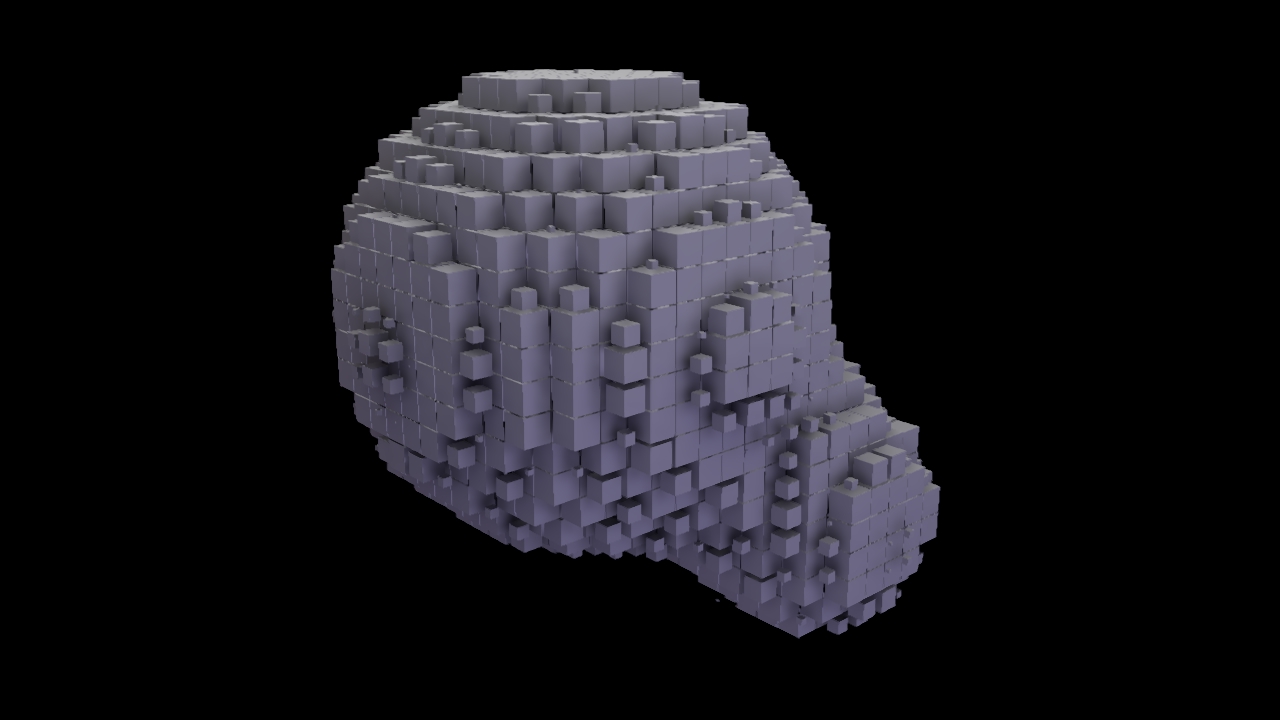
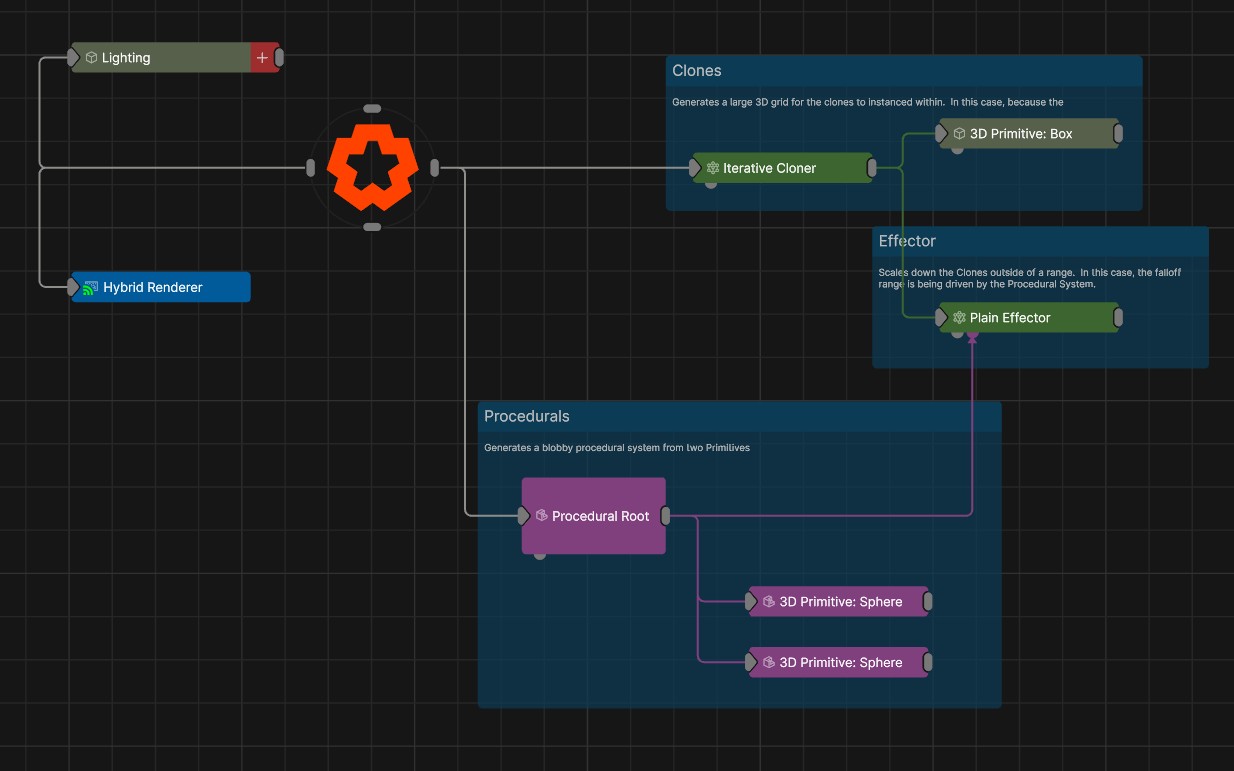
You can also create weightmaps from procedurals for use in other systems. This can be done using the Procedural input of the Generate Weightmap node.
You can use the procedural system to generate and effect particle systems, field systems and cloner systems.