Exporting Geometry
Updated: 22 Dec 2025
Overview
#
You can export geometry from Notch with the use of the 3D Exporter node. This node can be used to export Almebic (.abc) files, or OBJ (.obj) files.
It is possible to export either a single frame of geometry, or a sequence.
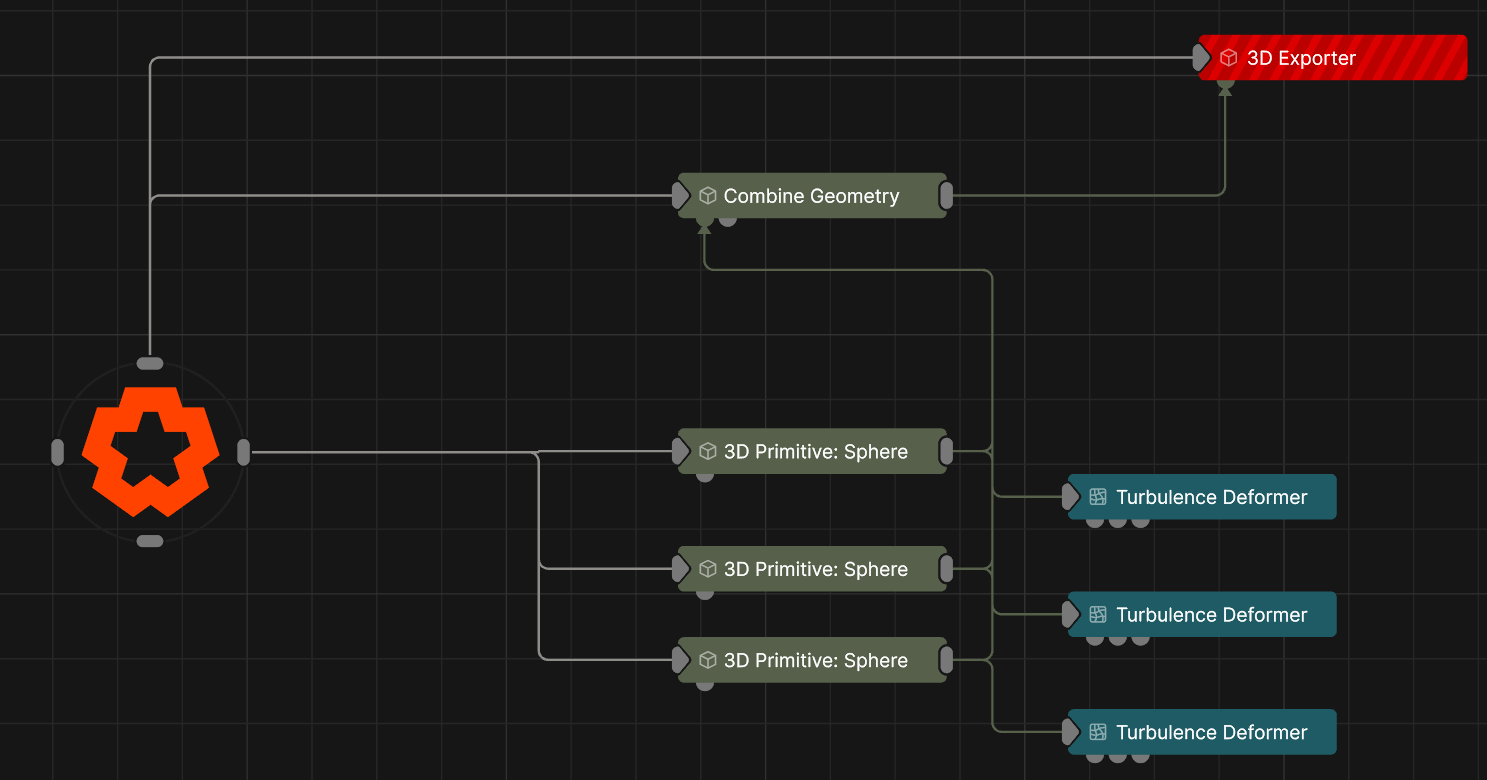
Using the Combine Geometry node can be a really useful way to bring multiple pieces of geometry together before exporting them.
How to Export Geometry
#
- Add a combine geometry node to your node graph.
- Connect the output pin of the geometry that you want to export to the geometry input pin of the 3D Exporter.
- A Combine Geometry node can be a useful way to bring together multiple separate pieces of geometry for export.
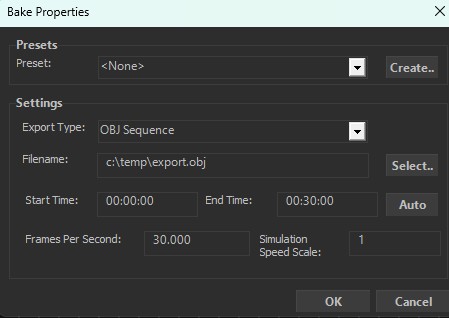
- On the 3D Exporter, click on “Bake Now” to set up your export properties.
- In the next window, set up your:
- File path,
- Export Type
- Start and End Time (entering both of these the same will export a single frame).
- Frames Per Second
- Simulation Speed Scale
- Clicking OK will begin exporting your geometry