

Tritone
Updated: 3 Dec 2025
Colour the source using highlights, midtones and shadows.


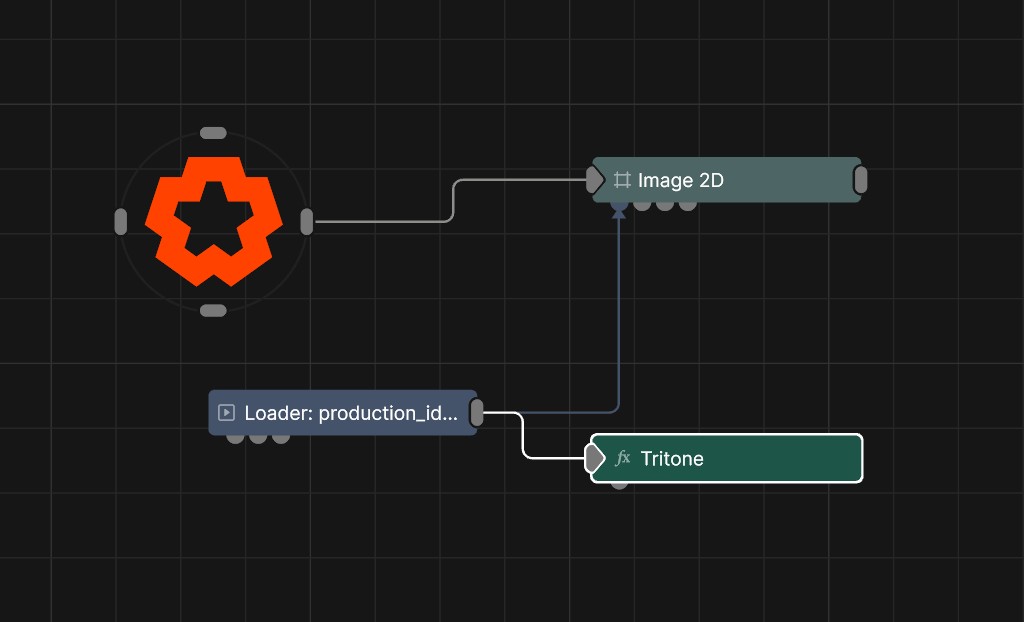
Updated: 3 Dec 2025
Colour the source using highlights, midtones and shadows.
This node splits the source image into three defined tonal ranges, highlights, midtones, and shadows, and maps each range to a specified colour. This process reduces the full colour spectrum to three controlled hues while preserving luminance structure and contrast, resulting in a simplified but clearly readable image.
These properties control the core behaviours of the node.
| Parameter | Details |
|---|---|
| Active | Enables or disables the effect. Disabling the effect means it will no longer compute, so disabling a node when not in use can improve performance. |
| Blend Amount | Changes the opacity of the new effect over the original image. |
| Blend Mode (RGB) | Change how the generated effect blends with the parent image RGB. |
| Blend Mode (Alpha) | Change how the generated effect blends with the parent image alpha. |
| Affected Channels | Toggle which of the RGBA channels are affected by the effect. |
| Apply To Solid Geometry Only | Toggle whether the effect should only apply to solid geometry, or the whole of the scene. |
| Input Brightness | Adjust the brightness of the input before applying the effect. |
| Input Gamma | Adjust the gamma of the input before applying the effect. |
| Parameter | Details |
|---|---|
| Highlight Colour | Set the colour to apply to the brightest areas of the image of the image. |
| Highlight Falloff | Set the range of values from the Highlight Center Point the highlight colour affects. |
| Highlight Falloff Power | Control how the sharply the falloff fades out over distance. |
| Highlight Centre Point | Center point in the luminance scale to use for highlights. |
| Highlight Blend Amount | Changes the opacity of the highlight colour over the original image. |
| Parameter | Details |
|---|---|
| Midtone Colour | Set the colour to apply to the midtones of the image. |
| Midtone Falloff | Set the range of values from the Midtone Center Point the midtone colour affects. |
| Midtone Falloff Power | Control how the sharply the falloff fades out over distance. |
| Midtone Centre Point | Center point in the luminance scale to use for midtones. |
| Midtone Blend Amount | Changes the opacity of the midtone colour over the original image. |
| Parameter | Details |
|---|---|
| Shadow Colour | Set the colour to apply to the shadows of the image. |
| Shadow Falloff | Set the range of values from the Shadow Center Point the shadow colour affects. |
| Shadow Falloff Power | Control how the sharply the falloff fades out over distance. |
| Shadow Centre Point | Center point in the luminance scale to use for shadows. |
| Shadow Blend Amount | Changes the opacity of the shadow colour over the original image. |
The properties control the time at which the node is active. See Timeline for editing time segments.
| Parameter | Details |
|---|---|
| Duration |
Control the duration of the node’s time segment.
|
| Node Time | The custom start and end time for the node. |
| Duration (Timecode) | The length of the node’s time segment (in time). |
| Duration (Frames) | The length of the node’s time segment (in frames). |
| Time Segment Enabled | Set whether the node’s time segment is enabled or not in the Timeline. |
| Name | Description | Typical Input |
|---|---|---|
| Effect Amount Image | Set the amount of effect that the node has based on an image. | Polygon |