

Smoothing Effector
Updated: 8 Jan 2026
Smooths changes in a clone's movement or scale.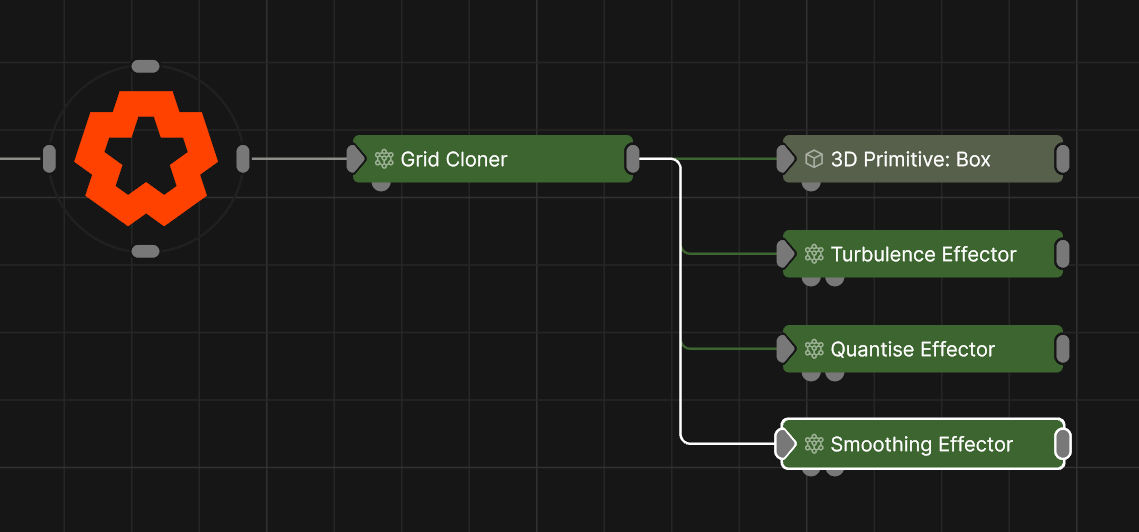
Updated: 8 Jan 2026
Smooths changes in a clone's movement or scale.
This node can smooth changes in a clone’s position, rotation or scale. Each property can be individually controlled and has its own falloff settings. For example you could control the smoothing of rotation separately from the smoothing of position. This allows you to have more granular control over the smoothness of a cloner system.
These properties control the 3D transforms of the node. Transforms will generally be inherited by child nodes, although they can be ignored through the Inherit Transform Channels attributes.
| Parameter | Details |
|---|---|
| Position X | The objects position along the local x-axis. |
| Position Y | The objects position along the local y-axis. |
| Position Z | The objects position along the local z-axis. |
| Rotation Heading | The objects rotation around the local y-axis. |
| Rotation Pitch | The objects rotation around the local x-axis. |
| Rotation Bank | The objects rotation around the local z-axis. |
| Scale X | The objects scale along the local x-axis. |
| Scale Y | The objects scale along the local y-axis. |
| Scale Z | The objects scale along the local z-axis. |
Control the inheritance of the transforms from the parent.
| Parameter | Details |
|---|---|
| Position | Toggle inheritance of the Position from the parent. |
| Rotation | Toggle inheritance of the Rotation from the parent. |
| Scale | Toggle inheritance of the Scale from the parent. |
| World Position Only | Inherit the world position from the parent only, rotation and scale will be ignored. Overrides above properties. |
| Inherit Time | Toggle inheritance of time from the parent. |
| Parameter | Details |
|---|---|
| Blend Amount | Controls the amount the resulting transforms of each clone after the effector is applied is blended with the original transform. |
| Space |
The transform space in which the Effector is processed.
|
| Position Adaption Mode |
Set how to use falloff to influence the amount of positional adaptation applied to the clones.
|
| Position Adaption Rate | The rate at which position changes will adapt as a fraction per frame. A value of 0.5 will move 50% of the remaining distance per frame. |
| Rotation Adaption Mode |
Set how to use falloff to influence the amount of rotational adaptation applied to the clones.
|
| Rotation Adaption Rate | The rate at which rotational changes will adapt as a fraction per frame. A value of 0.5 will rotate 50% of the remaining rotation per frame. |
| Scale Adaption Mode |
Set how to use falloff to influence the amount of scale adaptation applied to the clones.
|
| Scale Adaption Rate | The rate at which scale changes will adapt as a fraction per frame. A value of 0.5 will scale 50% of the remaining scale value per frame. |
| Smoothing Node Mode |
Which other nodes this node will affect.
|
These properties control how much influence the node has on anything it affects.
| Parameter | Details |
|---|---|
| Falloff Mode |
Which shape to use to calculate the falloff.
|
| Falloff Axis | Which axis the falloff should be oriented on. |
| Falloff Direction |
When using Planar mode, which directions to use to calculate the falloff.
|
| Falloff Easing Mode |
Interpolation method used to calculate the falloff within its range of influence.
|
| Falloff Size X | Size of the falloff range along the X axis. |
| Falloff Size Y | Size of the falloff range along the Y axis. |
| Falloff Size Z | Size of the falloff range along the Z axis. |
| Outer Range | Outer range of the falloff, outside of which the falloff is no longer effective. |
| Inner Range | Inner range of the falloff, inside of which the falloff is fully effective. |
| Curve Power | Controls the rate of change for the falloff between the inner and outer range. |
| Invert | Inverts the effect of the falloff. |
These properties control the selection of clones that you want the effector to influence.
| Parameter | Details |
|---|---|
| Selection Mode |
Set the mode for Index-Based Weighting.
|
| Selection Operation |
Set how you want top define the selection.
|
| Index | The first clone index in the range. |
| Max Index | The last clone index in the range. |
| Index Step | The increment used in “Step” mode. |
| Index Seed | The seed used in “Random In Range” mode. |
| Index Falloff Range | Falloff amount for Index-Based Weighting. |
| Index Falloff Power | The curve power of the falloff for Index-Based Weighting. |
The properties control the time at which the node is active. See Timeline for editing time segments.
| Parameter | Details |
|---|---|
| Duration |
Control the duration of the node’s time segment.
|
| Node Time | The custom start and end time for the node. |
| Duration (Timecode) | The length of the node’s time segment (in time). |
| Duration (Frames) | The length of the node’s time segment (in frames). |
| Time Segment Enabled | Set whether the node’s time segment is enabled or not in the Timeline. |
| Name | Description | Typical Input |
|---|---|---|
| Falloff Node | Use an input node to control the transformation values of the falloff. | Falloff |
| Procedural Falloff | Use a procedural system to generate falloff from. Useful for creating complex and unconventional falloffs from an Effector. | Procedural Root |
| Transform Modifiers | Apply the transforms of another node to this node. | Null |
| Target Node | Modifiy the rotations of the node to always direct the z axis towards the input. | Null |
| Local Transform Override | Apply the transforms of another node to this node, relative to its parent. | Null |