
Render Queue
Updated: 28 Jan 2026
Updated: 28 Jan 2026
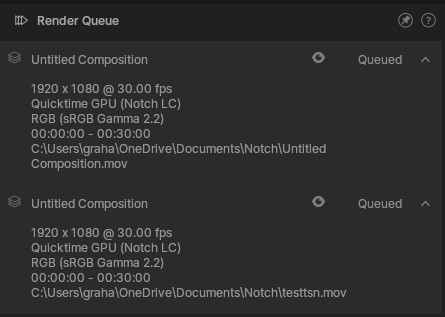
This window allows you to view your render queue.
To access the panel, go to View -> Render Queue.
This panel is useful for quickly seeing your render queue, but to work with your render queue in detail, you really want to be in the Render View(/docs/reference/user-interface/render/).
For details on working with the Render View and setting up a Render Queue, see This Section of the manual.
Render Queue is only available in Notch Builder Base & Pro.